
Best Progress Photo Apps for Android in 2026: The Photo, Not the App
Most progress photo apps people recommend are iOS-only. On Android, the app matters less than the habit — here's the honest map, the three-session test, and the workflow that changes your plan.
By Reset90 AI Editorial Team
Short answer: If you are looking for a photo progress app on Android, start with the job you need to repeat. A dedicated gallery is the free baseline; Photo Progress: Before - After is an Android comparison app with ads and in-app purchases; Progress by Lasmit is the established photo-and-measurement log; MeThreeSixty and ZOZOFIT add 3D estimates; browser analyzers offer a one-off estimate; and Reset90 turns a guided weekly Body Skin check-in into a training and nutrition next action. The app matters less than the habit: same spot, same light, same poses, same time of day.
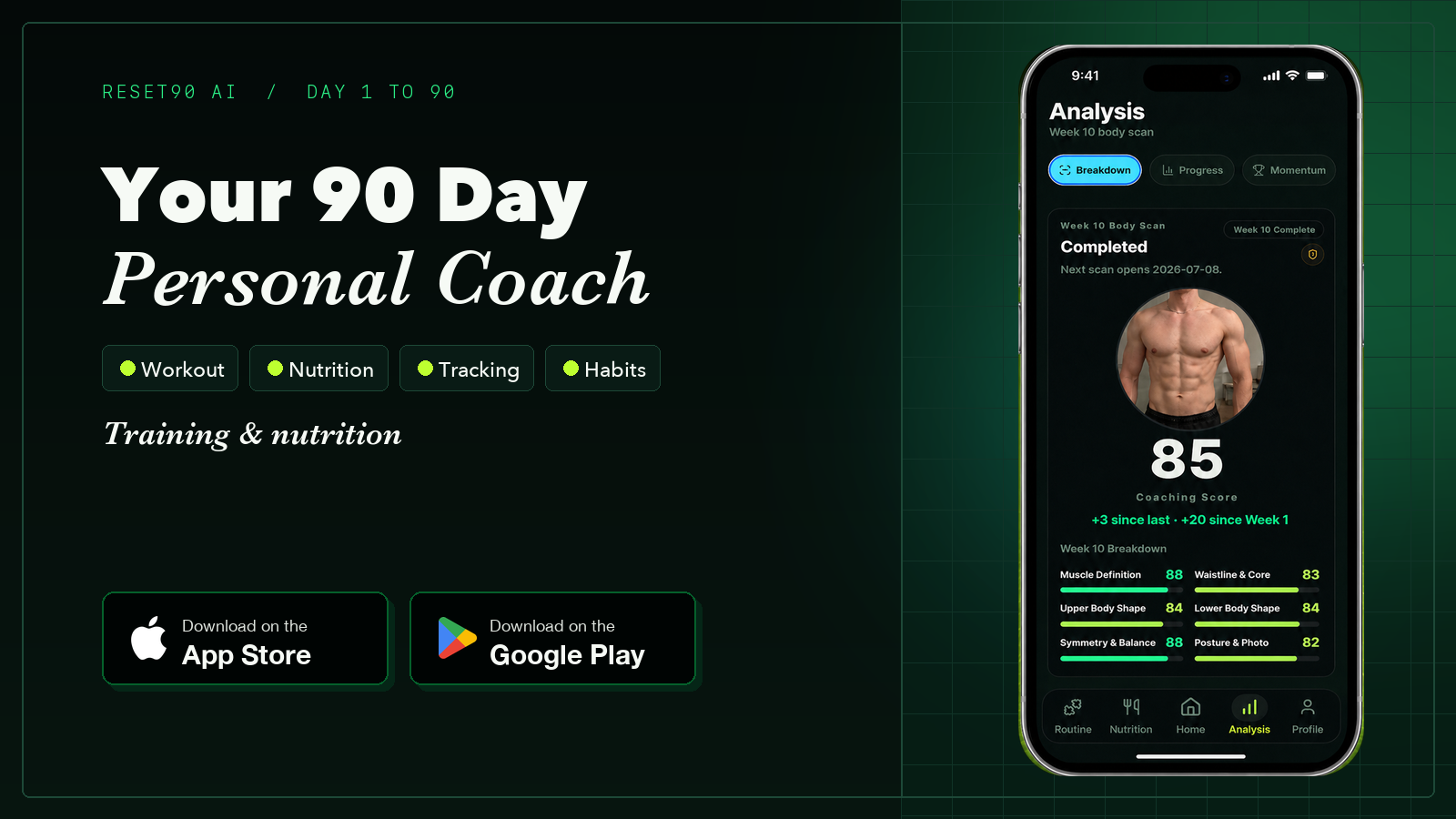
The first decision is not which app has the longest feature list. It is whether you need a private photo record, a faster before-and-after comparison, measurements alongside photos, or a guided workflow that changes what you do next.
Here is a frustrating afternoon: you read a roundup of progress photo apps, pick the one that sounds best, open the Play Store — and it is not there. Try the next one. Also not there.
A surprising share of the apps people recommend in 2026 ship on iOS only, and most articles never mention it. This is the straight version: what actually runs on Android, what each option is good at, and why the app you choose is the least important part of the system.
01The problem is not the app
Progress photos fail for one reason: inconsistency. Different lighting, different distance, different pose, different time of day — and the photos stop being comparable. No app can fix that for you.
The failure mode of progress photos is never “wrong app.” It is an irregular cadence and drifting camera conditions. That is why the most useful thing you can do before installing anything is test whether you can take the same photo every week.
02The Android field in one table
| Option | Android? | Core job | Compare / privacy | Free scope | Best for |
|---|---|---|---|---|---|
| Reset90 AI | Yes — iOS + Android | Guided weekly Body Skin + adaptive plan | Repeatable check-in; plan adjustment | Free to start | A guided protocol that changes your next action |
| Gallery album | Built in | Manual photos in a dedicated album | Gallery/cloud privacy depends on your phone settings; side-by-side is manual | Free | The free baseline and the habit test |
| Photo Progress: Before - After | Yes — Google Play | Before/after comparison, zoom, import/export | Password or biometric lock; developer declares no data shared/collected | Free with ads; in-app purchases | A dedicated Android comparison app |
| Progress (Lasmit) | Yes — native | Photos + measurements + weight history | Side-by-side timeline; verify storage and export before committing | Free tier / paid features | A cross-platform photo-and-measurement log |
| MeThreeSixty | Yes — native | 3D scan + tape-free measurements | Estimated shape data alongside photos | Free entry point; paid features | Shape data alongside photos |
| ZOZOFIT | Yes — native | 3D scan, suit-free | Estimated measurements; review plan and data limits | Free plan; paid features | A polished scanning experience |
| Browser analyzers | Any browser | One-off AI photo estimate | Check upload, retention and deletion terms | Free to paid | A quick estimate with zero install |
03The three-session test
Before you install anything, run this test. It takes three weeks and costs nothing.
- Week one: create a dedicated album in your phone's gallery. Shoot front, side, and back in the same spot, same light, same pose. Note where you stood.
- Week two: repeat the exact same setup. Same time of day, same phone height, same poses.
- Week three: repeat again, then compare the three sessions side by side.
If you cannot keep this up for three weeks, no app will save you. If you can, you have already proven the only skill that matters. The app you choose is just a convenience layer on top of the habit.
04The apps, arranged by workflow
Manual album — the free baseline
A dedicated album in your phone's gallery is the simplest free photo progress system. It gives you date sorting, familiar storage and no new app to learn; a collage tool can create a side-by-side when you need one. Check whether your gallery is syncing to a cloud account before calling it private, and remember that the discipline is entirely on you.
Photo Progress: Before - After — the Android comparison pick
For an Android-first dedicated comparison app, Photo Progress: Before - After is the clearest match in the current Google Play results. Its listing focuses on comparing any two images, zooming into detail, importing and exporting photos, and protecting the app with a password or biometric unlock. It is free to install but includes ads and in-app purchases, and the developer's listing declares no data shared and no data collected.
The trade-off is maintenance and workflow depth. User reviews mention crashes around tags, export problems, one-by-one editing, missing date correction and limited alignment controls. That makes it useful when your main job is a quick before-and-after comparison, but worth testing with your own oldest photo before you build a multi-year archive.
Progress by Lasmit — the proven cross-platform tracker
Progress has been doing one job since 2012: weight, measurements, and side-by-side photos in one timeline. It is cheap, stable, and works on both iOS and Android, which matters if you train with someone on the other platform. It does not analyze photos with AI — body composition comes from formulas on your inputs — but as a photo-and-measurement log it is the most proven native option.
MeThreeSixty and ZOZOFIT — the 3D lane
If you want measurements alongside your photos, both run natively on Android. MeThreeSixty is the free entry point: two poses become a 3D avatar with more than a dozen estimated measurements. ZOZOFIT is the polished version with better charts and a heat map. Neither shows muscle definition, and both require consistent scan setup — the same consistency problem, just with different data.
Browser analyzers — the one-shot lane
Web-based analyzers run AI photo analysis in any browser, so the platform stops mattering. They are useful for a quick estimate and nothing more: one photo, one number, no tracking history, no plan. If you already have a consistent photo system, a browser analyzer can add a second opinion. It cannot replace the system.
Reset90 — the guided protocol lane
Reset90 is the option on this list that treats the photo as a weekly measurement instead of a collection. Before every Body Skin check-in, it walks you through lighting, camera position, and poses — the exact consistency problem most photo apps leave to you. The check-in then feeds a 90-day plan built from your biometrics, and the app's reasoning layer helps decide what to adjust in training and nutrition.
You do not need to remember the rules. The app enforces the repeatable check-in, and the result gives your next action a place to start.
Who it is for: Reset90 fits someone who wants the weekly photo to influence a broader training and nutrition plan. It is not a private photo vault or a clinical body-fat measurement tool; if all you want is storage and side-by-side comparison, a gallery or dedicated tracker is simpler. See how Reset90 works on Android.
What to check before choosing
- Android availability: confirm the listing is native to Android, not an iOS-only recommendation.
- Comparison: look for side-by-side, overlay/alignment, crop control and a way to find older dates.
- Recovery: check export, backup, deletion and what happens if the app stops being maintained.
- Privacy: distinguish on-device storage, cloud sync, password/biometric lock and photo upload.
- Free scope: separate genuinely free basics from ads, in-app purchases and subscription-only features.
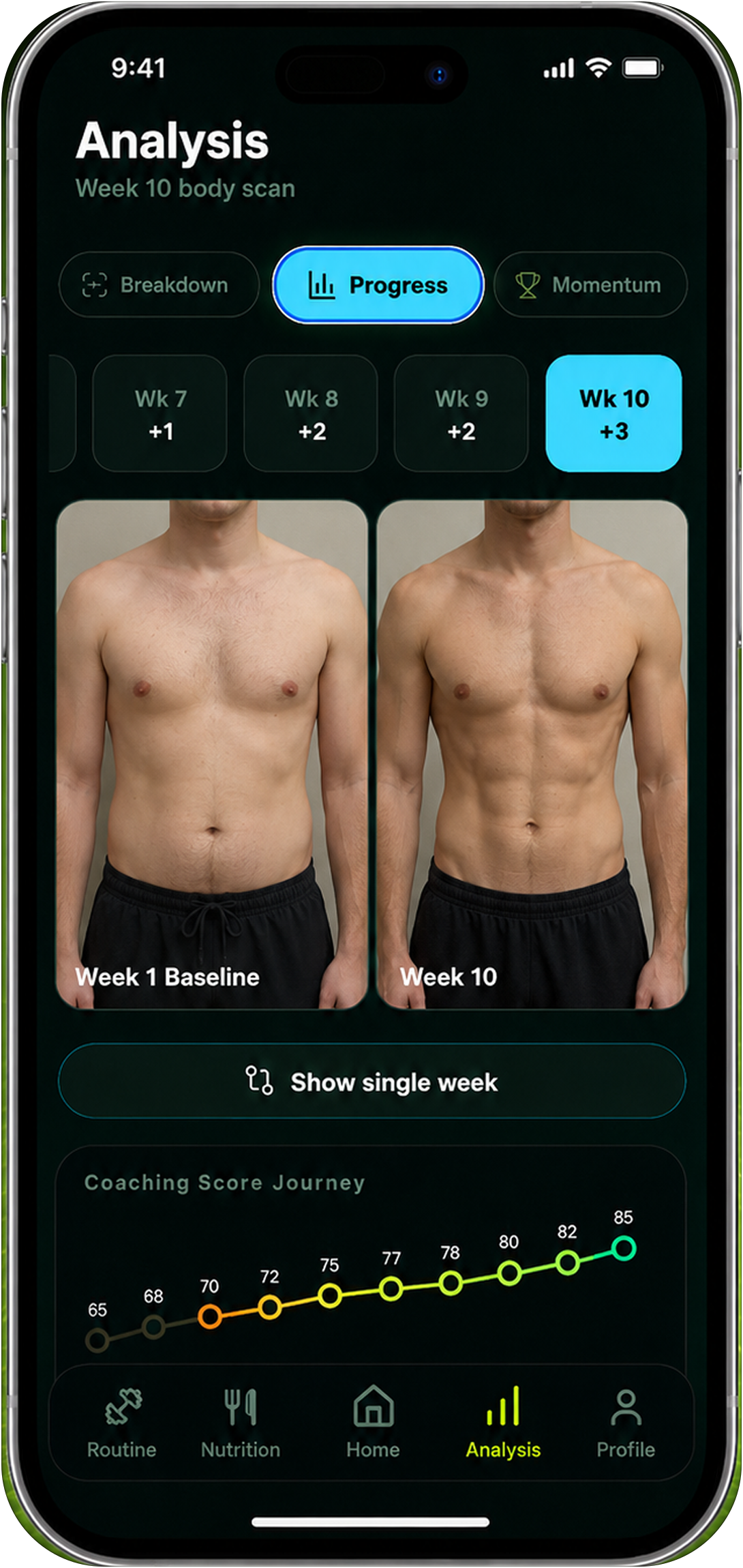
05The Reset90 workflow in five steps
- Install Reset90 and enter your stats, goals, and schedule.
- Let it build your personalized 90-day plan.
- Do your first Body Skin check-in with the guided lighting, camera position, and pose protocol.
- Repeat the same check-in weekly — same day, same conditions.
- Read the plan's explanation after each check-in and follow the next adjustment.
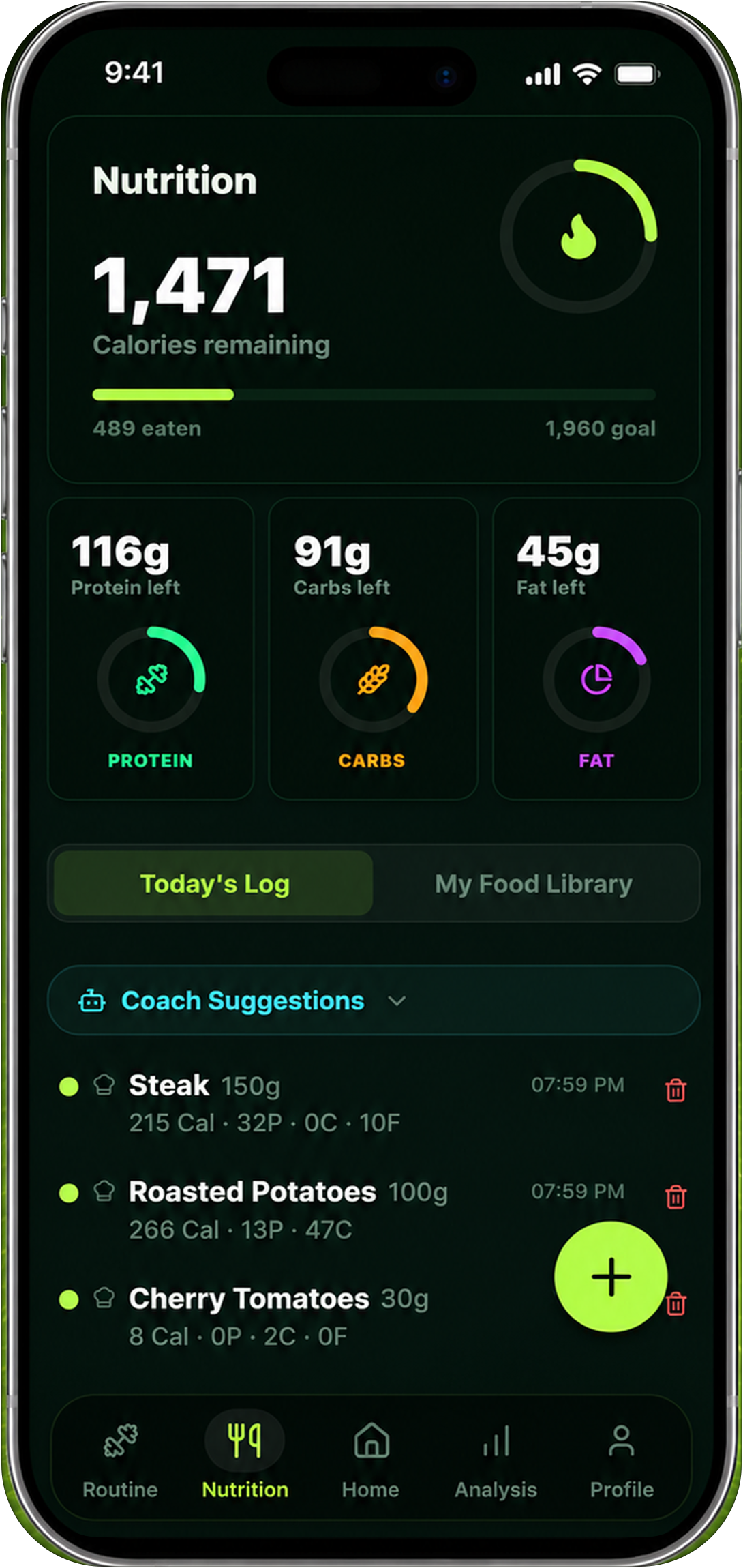
06The five rules that beat any app
- Same spot, same light. Mark where you stand and avoid overhead-only lighting, which flattens definition.
- Same poses. Front relaxed, side, back — held the same way every session.
- Same phone height and distance. Prop the phone or use a timer so framing does not drift.
- Same time of day. Morning, before food and water, is the least noisy.
- Compare weeks apart, not days. A shot every one to two weeks, reviewed monthly, is the signal.
Do these five things and even a plain gallery album outperforms a fancy app used carelessly. The tool is a convenience layer on top of the habit — never a substitute for it.
07Frequently asked questions
What is the best progress photo app for Android?
For a dedicated Android comparison app, Photo Progress: Before - After is the most direct match for before-and-after photos, zoom, import/export and app locking, with ads and in-app purchases. Progress by Lasmit is the stronger photo-and-measurement log; MeThreeSixty and ZOZOFIT add 3D estimates; and a gallery album is the free baseline. Reset90 is the option that guides the photo protocol and turns the weekly result into a broader plan adjustment.
Is there a free progress photo app for Android?
Yes. A dedicated gallery album is the no-cost baseline, and it may be all you need if you can repeat the same setup. Photo Progress: Before - After is free to install but has ads and in-app purchases; Progress has a free tier; browser analyzers range from free to paid; and Reset90 is free to start. Check the free scope before assuming every comparison or export feature is included.
How do I take good progress photos on Android?
Consistency beats the app. Use the same spot and lighting each time, mark where you stand, shoot the same poses, keep the phone at the same height, and take photos at the same time of day. Compare shots weeks apart, not day to day.
Can I estimate body fat from a progress photo on Android?
Yes, through the browser. Web-based analyzers run the same kind of AI photo analysis as iOS apps, so the platform does not matter. Expect an estimate, not a measurement — lighting, pose, and photo quality all move the number.
Why is Reset90 different from a progress photo app?
Most progress photo apps store photos and let you compare them. Reset90 is for the user who wants a guided Body Skin check-in and a next action connected to training and nutrition. The photo is not a clinical measurement or a replacement for a private archive; it is one repeatable signal inside a broader 90-day plan.
08Final note: the photo is the habit, the app is the layer
The best progress photo setup on Android is not the app with the most features. It is the workflow you can repeat for twelve weeks: same spot, same light, same poses, same cadence.
Start with the three-session test. If you pass it, pick the layer that fits: a gallery album for free, Photo Progress: Before - After for dedicated Android comparison, Progress for a photo-and-measurement log, MeThreeSixty or ZOZOFIT for estimates, a browser analyzer for a second opinion, and Reset90 when you want the weekly photo to change what you do next.
If the decision after the photo matters as much as the photo itself, see the Reset90 Android workflow and decide whether a guided check-in belongs in your system.
The Reset90 system
Useful ideas for building a body you can keep.
Training notes, product updates, and practical ways to make your next 90 days count.
Start your next 90 days
Get your daily training, nutrition, and check-in priorities in one adaptive system.


Keep reading
Related articles
Ideal Body Measurements for Women
There is no single ideal body measurement set for women. Learn how averages, waist-to-height, body shape and repeatable tracking fit together without chasing a fixed beauty standard.
Read article
Bulk, Cut, or Recomp? A Practical Decision Guide
A practical way to choose a bulk, cut, recomp, or maintenance phase using your goal, training age, recovery, and repeatable progress signals.
Read article
How Often Should You Take Progress Photos?
How often should you take progress photos? Use this goal-based guide to choose weekly, biweekly, or monthly check-ins and make every comparison more consistent.
Read article