

How We Built a 20-Second Product Launch Video with Codex and HyperFrames
We gave a coding agent real app recordings, a reference film, and a 20-second brief—and built a product launch video as a deterministic web composition.
By Reset90 AI
We didn’t ask a text-to-video model to invent Reset90 AI. We gave a coding agent real app recordings, a reference film, a brand direction, and a 20-second brief. Then we built the launch film as a small, testable web composition.
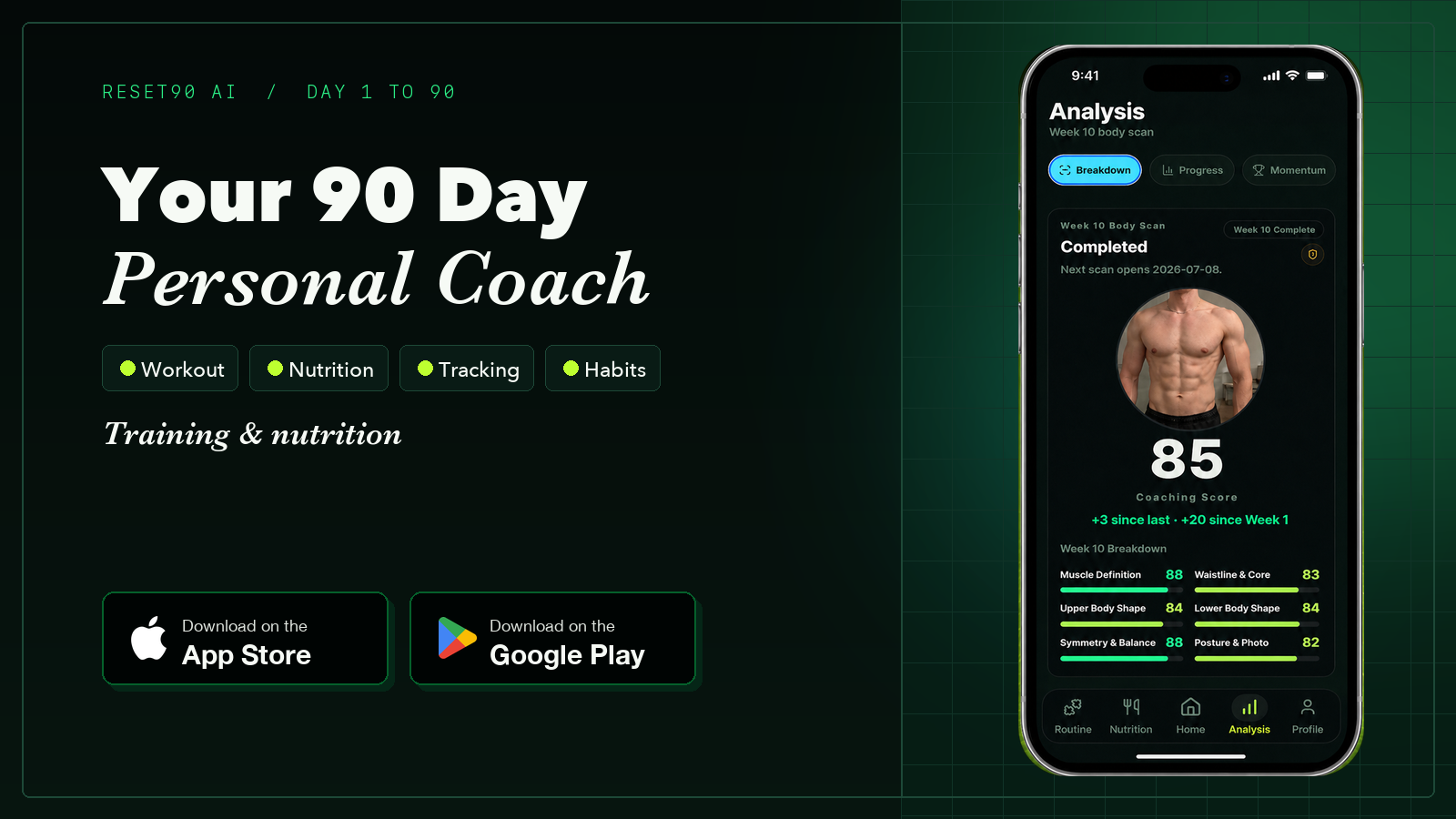
The result is a short product video that now sits at the top of our landing page. It explains the product in one pass: Reset90 AI adapts the day’s plan, prepares the workout, sets nutrition targets, and uses a weekly body scan to show whether the user is still on track.
This is the build story—and the workflow we would reuse for the next launch film.
01The product video was the product problem
A fitness app can have a long feature list and still be hard to understand. Reset90 AI has a coach briefing, workout prescriptions, form help, nutrition targets, and progress scans. A landing page can explain each feature with paragraphs, but a visitor should feel the system working before they decide to read.
Our brief was intentionally narrow:
- Make the film roughly twenty seconds.
- Use real product recordings instead of invented interface screens.
- Make the motion feel like the dark, neon-green Reset90 brand.
- Keep every line of narration synchronized with something visible.
- Ship a reviewable draft quickly, then finish at high resolution.
That last constraint changed the approach. We were not trying to “generate a video” in one opaque step. We were building a little product demo that happened to render to MP4.
02The stack: a video pipeline that looks like software
The stack was deliberately close to a web stack:
- Codex handled the creative-to-code loop: turn the brief into beats, write the composition, inspect renders, and make targeted revisions.
- HyperFrames provided the deterministic composition contract: a fixed canvas, frame rate, duration, timed clips, and a repeatable check/render loop.
- HTML, CSS, and GSAP handled the scene layers, typography, phone movement, opacity changes, wipes, and timeline choreography.
- Real screen recordings and brand assets supplied the evidence: the actual Home, workout, Nutrition, and Body Scan screens, plus the Reset90 identity.
- FFmpeg helped us inspect source media, extract review frames, and package the final H.264/AAC deliverable.
- GitHub and Vercel made the final step ordinary: commit the asset, deploy the landing page, and review the same film in its real context.
This sits inside a growing “video as code” ecosystem. Remotion’s official Agent Skills documentation describes a similar model for Claude Code, Codex, Kimi Code, and Cursor: give an agent a structured video skill, then let it work against a renderable project. Remotion’s skills guide and Every’s product-launch-video workflow are useful references. The lesson is not that one framework wins; it is that a timeline you can inspect is easier to improve than a black-box generation.
03Storyboard before code
Before writing motion code, we reduced the film to five jobs. Each beat had one visual promise and one spoken idea.
| Beat | What the viewer should understand | Visual proof |
|---|---|---|
| Hook | There is one plan for ninety days. | Large type, a dark 90-day motif, and the phone entering from shadow. |
| Home | Today adapts to what you actually did. | The real Coach Briefing screen with small UI callouts. |
| Workout | The next session is ready, with help available in the moment. | The exercise list pushes into Diamond Push-up and the coach prompt. |
| Nutrition | Targets are prepared instead of guessed. | 3,205 calories and the protein, carb, and fat targets expand from the app. |
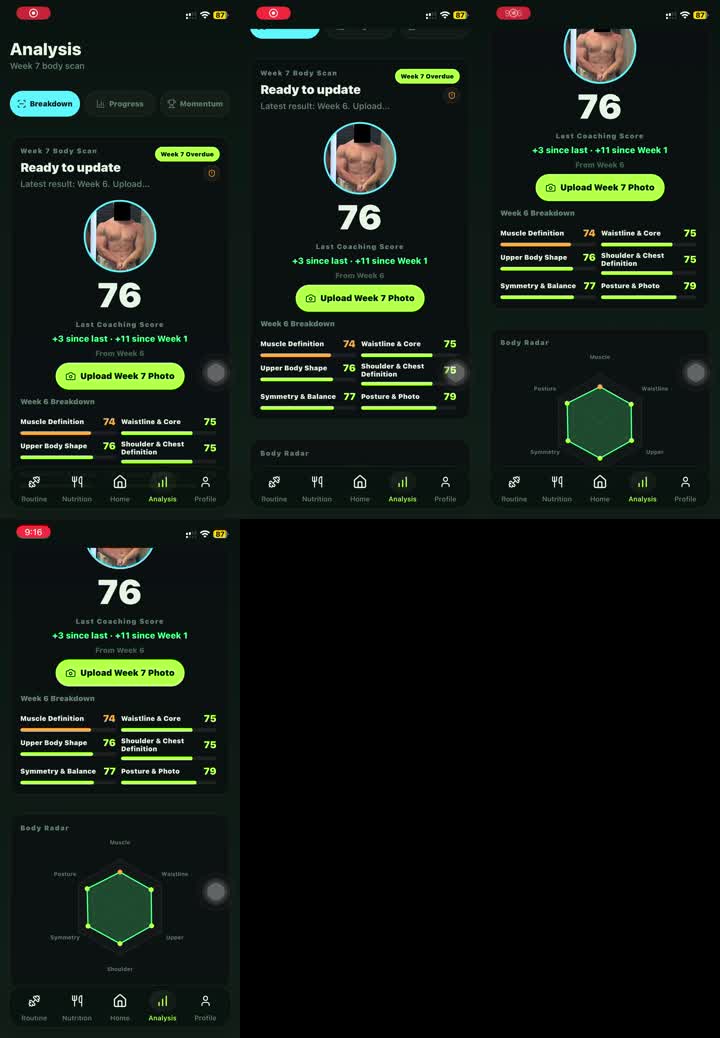
| Body Scan | A weekly check-in shows whether the plan is working. | The score, trend, metric bars, and radar chart become the climax. |
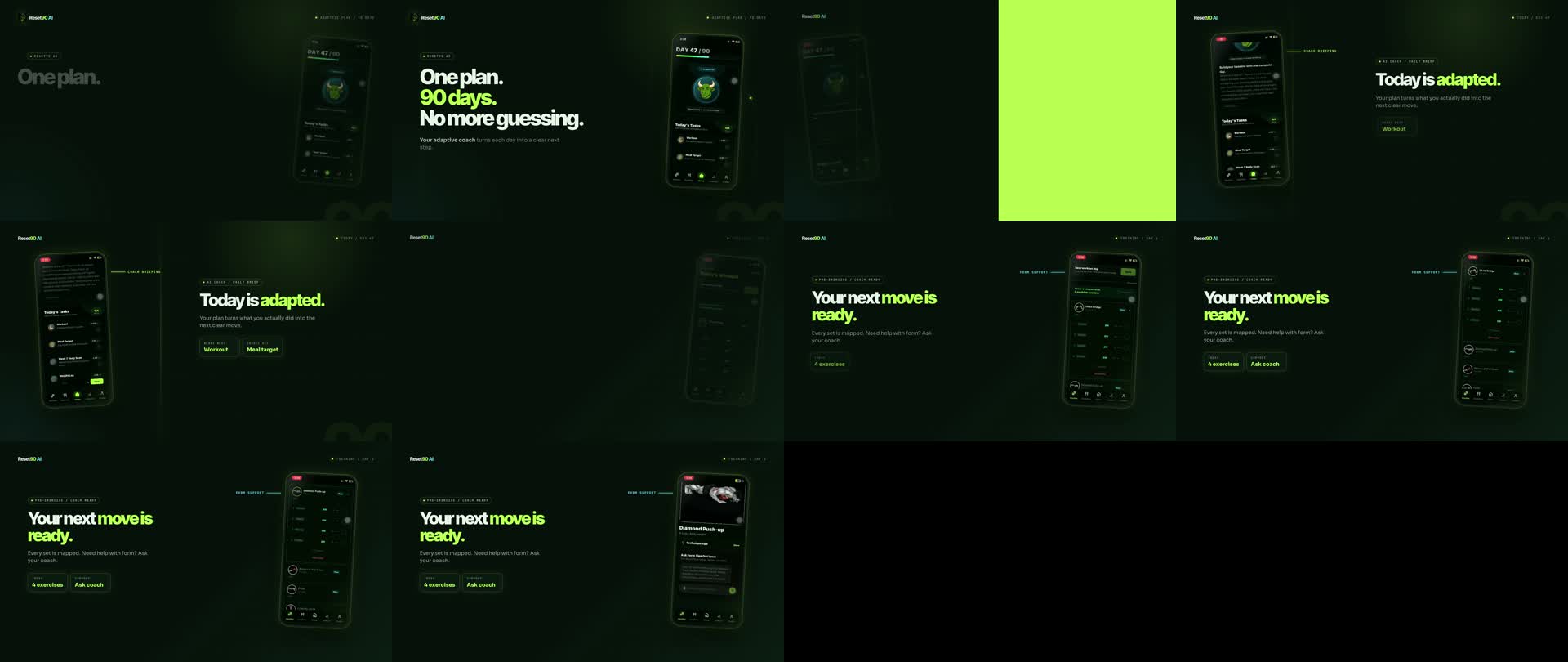
We wrote the narration after the storyboard, not before it. That kept the voiceover concrete: “Today is adapted,” “Your next move is ready,” “Your target is ready,” and “See your progress.” The words describe what is on screen instead of asking the viewer to trust a claim that the visuals never demonstrate.
04Build the first version as a composition
A HyperFrames project gave us one stable coordinate system: 1,920 by 1,080, thirty frames per second, twenty seconds. Inside that canvas, each beat was a layer with a known start time. The phone recording, the text, the guide lines, the glow, and the voice track could be revised independently.
A simplified version of the timing logic looks like this:
const timeline = gsap.timeline({ paused: true });

timeline
  .fromTo('#nutrition-layer', { opacity: 0 }, { opacity: 1, duration: 0.16 }, 10.30)
  .fromTo('#nutrition-phone', { x: -145, opacity: 0 }, { x: 0, opacity: 1, duration: 0.35 }, 10.34)
  .fromTo('#macro-cards', { y: 18, opacity: 0 }, { y: 0, opacity: 1, stagger: 0.08 }, 10.72);
The exact values changed during review, but the principle stayed the same: every animation had an intentional time and a visible reason. We could scrub to a frame, see the same result again, and change one variable without rebuilding the entire film.
05The first draft was supposed to be wrong
The first pass exposed problems that a written storyboard could not. In the opening seconds, a decorative phone treatment covered the original iPhone UI. The recording looked polished, but the Homepage icon and status area were no longer fully legible. The fix was simple: preserve the source recording and remove the extra obstruction.
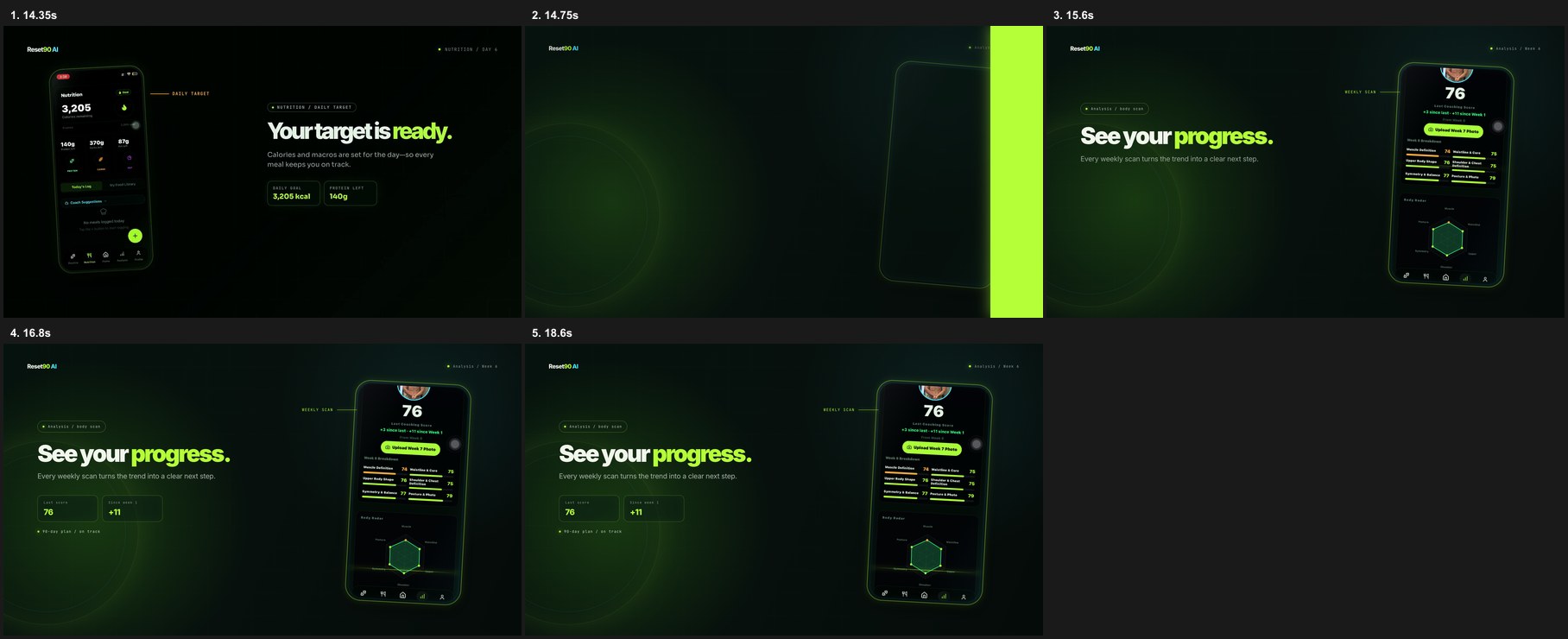
Later, the Nutrition and Body Scan screens finished animating before the narration finished speaking. The picture became static while the voiceover was still explaining the feature. We added small, purposeful motion—metric counters, macro labels, progress bars, and a gentle radar-chart pulse—so the frame kept communicating until the sentence ended.
That is the advantage of treating a video like a product surface. Feedback becomes a concrete change request instead of a vague request to “make it feel more exciting.”
06Audio leads the edit
Our most important correction was not visual. The voiceover had to match the cut. A pause between the Home and Workout scenes made the transition feel late; a rushed ending made the final “Reset90 AI” line lose its last word. We adjusted the narration timing, removed the dead air, and let the end card breathe long enough for the brand name to land.
The practical rule is simple: record or choose the voice early enough that it can shape the edit. If audio arrives at the very end, the visuals tend to become a sequence of pretty moments that do not quite add up. If the audio has a clear sentence-level rhythm, the motion has something to answer.
07Draft at 720p, ship at 4K
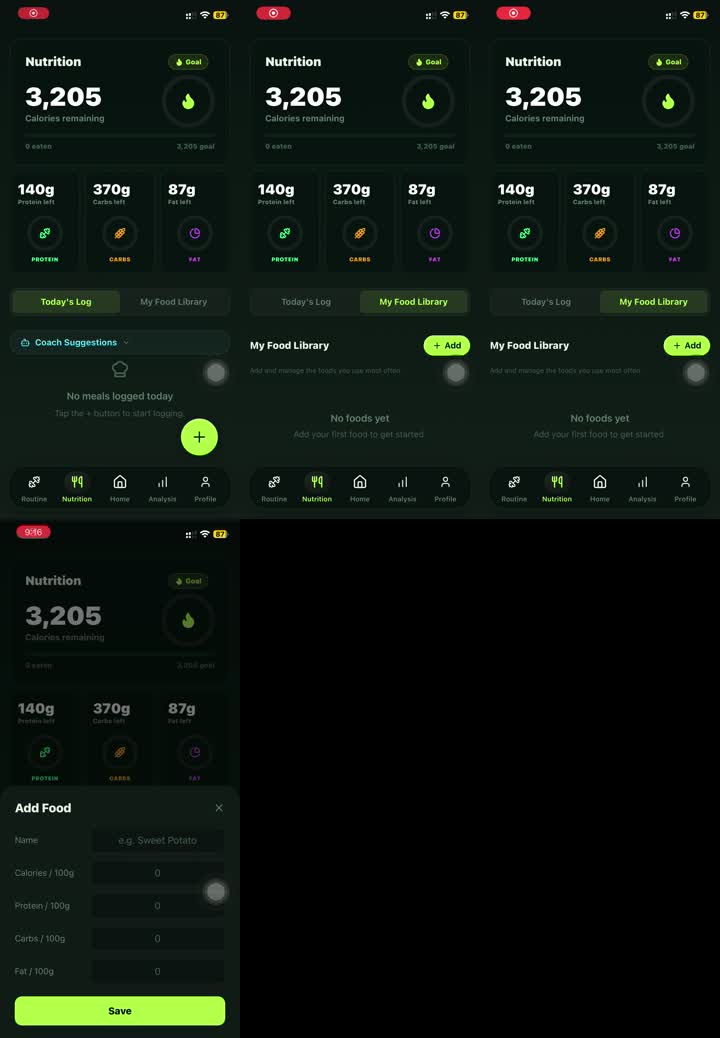
We reviewed the first versions at 720p. That was enough to catch the important issues: phone framing, text hierarchy, transition timing, voiceover gaps, and whether the UI was readable on a laptop-sized landing page. Rendering low-resolution drafts kept iteration fast and made feedback specific.
Only after the timing and narration were approved did we render the final 4K master. The same composition produced the higher-resolution H.264/AAC file used on the landing page. No visual rewrite was needed between review and delivery—just a final render at the target size.
08What we would reuse
- Use real UI as the source of truth. A real recording carries more product credibility than a generated mockup, especially when the viewer can recognize the app.
- Give every beat one job. Five short scenes were easier to understand and revise than one continuous “show everything” montage.
- Keep audio and visuals separate. Separate tracks made it possible to solve a narration problem without disturbing the UI choreography.
- Review one variable at a time. First framing, then motion, then audio, then resolution. That sequence made each revision legible.
- Package the workflow. The valuable output is not only the MP4. It is the reusable scene vocabulary, timing conventions, and review checklist that make the next video faster.
09The takeaway
A coding agent does not replace creative judgment. It changes where the judgment is spent. Instead of hand-tuning every keyframe in a closed editor, we spent our time deciding what the viewer should understand, which real screen proves it, and whether the spoken sentence lands at the same moment as the visual.
That is why this workflow feels closer to shipping software than prompting a video model. The brief is versioned. The timeline is inspectable. The assets are real. The render is repeatable. And every piece can be improved without throwing away the whole film.
Want the workflow? We’re packaging the Codex + HyperFrames setup into a reusable skill. Comment “VIDEO SKILL” below and tell us what product you would turn into a launch film next. We’ll share the workflow when it’s ready.
10References and further reading
- Remotion Agent Skills
- How Kiln made a launch video in Claude Code
- Every’s product-launch-video workflow
- Videowright: prompt-to-video with deterministic rendering
The Reset90 system
Useful ideas for building a body you can keep.
Training notes, product updates, and practical ways to make your next 90 days count.
Start your next 90 days
Get your daily training, nutrition, and check-in priorities in one adaptive system.


Keep reading
Related articles

Ideal Body Measurements for Women
There is no single ideal body measurement set for women. Learn how averages, waist-to-height, body shape and repeatable tracking fit together without chasing a fixed beauty standard.
Read article
Bulk, Cut, or Recomp? A Practical Decision Guide
A practical way to choose a bulk, cut, recomp, or maintenance phase using your goal, training age, recovery, and repeatable progress signals.
Read article
How Often Should You Take Progress Photos?
How often should you take progress photos? Use this goal-based guide to choose weekly, biweekly, or monthly check-ins and make every comparison more consistent.
Read article