
5 Best AI Body Editor Apps in 2026: Edit the Plan, Not the Photo
Looking for an AI body editor? Compare Peachy, BodyTune, Facetune, BeautyPlus, and PrettyUp by platform, control, privacy, and the result you actually want.
By Reset90 AI Editorial Team
Short answer: If you want to reshape a static photo, Peachy is the strongest all-round mobile option, BodyTune is better for dedicated body controls, BeautyPlus is useful when you want an online AI workflow, Facetune is a strong choice for controlled natural retouching, and PrettyUp is the most relevant option when video editing matters too. None of these apps measures real body change. If your goal is to know whether training and nutrition are working, Reset90 uses consistent Body Skin check-ins to adjust your 90-day plan instead of editing your waistline in a photo.
01Choose the right kind of body editor first
“Body editor” can describe several different jobs. Choose the result you want after the app is finished, not just the feature name in the store listing.
| Your goal | Best fit | What the result tells you |
|---|---|---|
| Make your waist, legs, arms, or shoulders look different in one photo | Photo body editor such as Peachy or BodyTune | How the edited image looks; it is not a measurement of your body. |
| Create a polished social post or short video | Photo/video editor such as Facetune or PrettyUp | How the content looks after editing; it does not prove physical progress. |
| Try an online AI body reshape without starting with a mobile app | Online tool such as BeautyPlus AI Body Editor | How the uploaded image changes after AI processing. |
| Know whether training and nutrition are changing your body | Progress system such as Reset90 | A trend from consistent check-ins and the actions connected to them. |
A body editor can be useful for creativity, experimentation, or social content. It should not be treated as a progress measurement. For that, use unedited photos taken under consistent conditions and pair them with training, nutrition, recovery, and time.
02Best AI body editor apps compared
The best choice depends on the job, platform, and amount of control you want. Features, prices, and availability can change by country and app version, so treat the comparison as a decision guide rather than a permanent ranking.
| App | Platform or format | What it does well | Watch out for | Best for |
|---|---|---|---|---|
| Peachy | iOS and Android | AI body reshape, muscle definition, waist/hips/legs adjustments, skin retouch, height correction, and broad photo-editing tools. | Free access can include ads or in-app purchases; check the current store listing and privacy details before uploading sensitive images. | An all-round mobile body and selfie editor. |
| Facetune | Mobile photo editor | Natural reshaping, manual controls, adjustable intensity, targeted edits, and tools intended to protect proportions and backgrounds. | It is easy to over-edit when the goal is a dramatic change; commercial features and pricing can vary. | Users who want more control over a subtle, polished edit. |
| BodyTune | iOS and related mobile listings | Dedicated controls for waist, hips, thighs, legs, height, body proportions, muscles, tattoos, and skin tone. | Subscription cost matters. The US App Store listing reviewed for this article showed annual, monthly, and weekly Bodytune Pro prices; confirm the current price before subscribing. | Fine control over one static photo. |
| BeautyPlus AI Body Editor | Online AI tool and BeautyPlus ecosystem | A clear workflow: upload a single-person image, select a body area, set intensity, and run the AI. It also describes muscle, arms, glutes, waist, and leg adjustments. | Upload, retention, export, and account terms should be checked before using a personal progress photo. | People who want a quick browser-based AI edit with localized controls. |
| PrettyUp | Photo and video editing | Relevant when the same type of reshaping is needed across moving content as well as still images, with body and face adjustment tools. | Video edits need extra inspection because motion, edges, clothing, and backgrounds can reveal artifacts between frames. | Creators who need photo and video editing in one workflow. |
There is no universal first-place app. Peachy is the broadest fit for a quick mobile edit; BodyTune is more specialized; Facetune emphasizes controlled retouching; BeautyPlus makes the online workflow explicit; and PrettyUp matters when video is part of the job.
03What to check before you trust an AI edit
A convincing preview can still contain obvious errors. Use the same five-minute review every time:
- Keep the original. Save an untouched copy before editing so you can compare the result instead of relying on memory.
- Inspect straight lines. Door frames, tiles, mirrors, furniture, and walls should not bend around the edited body.
- Inspect edges. Look at hair, hands, clothing seams, arms, waist edges, and shadows. AI warping often appears where two surfaces meet.
- Check the whole image. A smaller waist can change the apparent size of the face, shoulders, clothing, or nearby objects.
- Review privacy and cost. Check whether photos are uploaded, whether data is shared, whether images can be deleted, what the free tier includes, and whether export is locked behind a subscription.
For video, pause at several points rather than checking only the first frame. A reshape that looks acceptable in a still image can wobble or stretch as the person moves.
Our fitness app privacy checklist is also useful when an app asks for body photos, camera access, or other sensitive information.
04What an AI body editor can and cannot tell you
A body editor changes pixels. It does not increase strength, reduce body fat, improve sleep, raise protein intake, or tell you whether your current training plan is working. The more realistic the edit looks, the easier it becomes to mistake a simulated result for evidence.
That does not make every edit harmful. A clearly labeled creative edit, a joke, a mood board, or a polished social image can be a reasonable use. The boundary becomes important when an edited image is used as a progress photo or as a target that your real body is expected to match.
For a fair comparison, take unedited check-ins with consistent lighting, camera position, distance, and pose. Compare trends over time rather than one flattering frame.
05The honest alternative: Reset90 edits your plan, not your photo
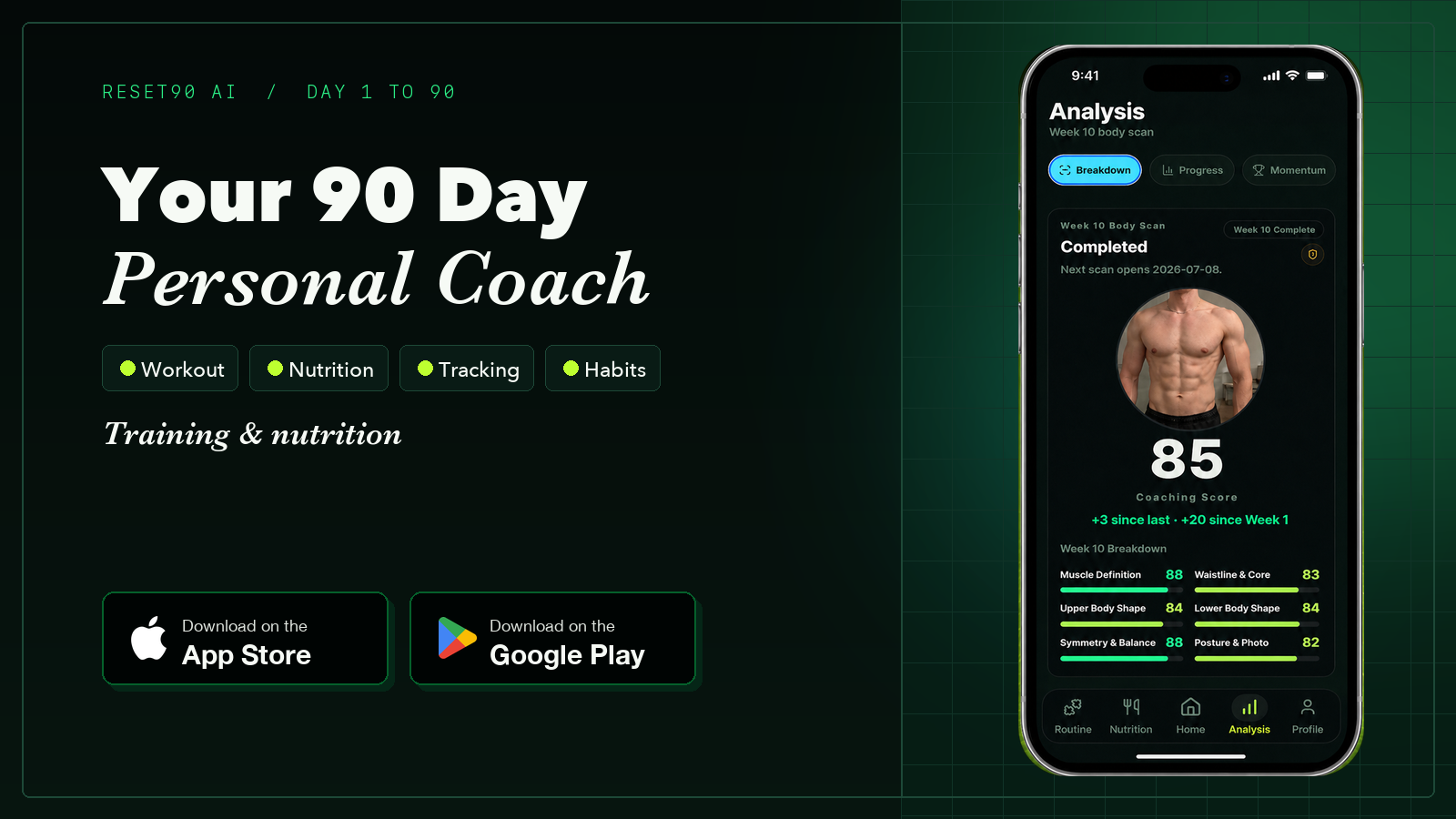
Reset90 is not a photo body editor, and that is the point. It is for someone who wants to know what to do next after looking at real progress, not someone who wants a one-tap social-media transformation.
- The photo stays honest. Guided Body Skin check-ins help keep lighting, camera position, and poses consistent, so the comparison is between your body and your body.
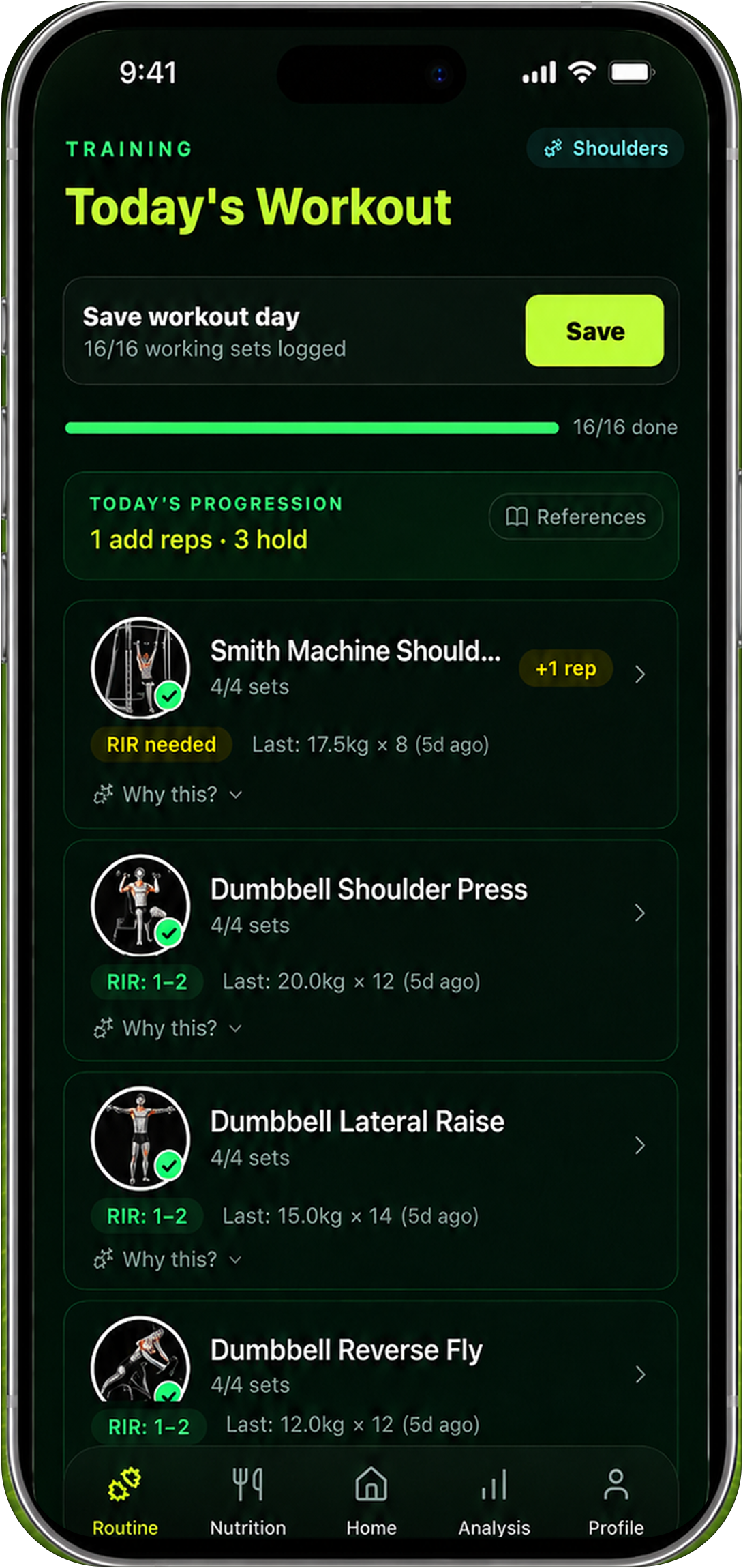
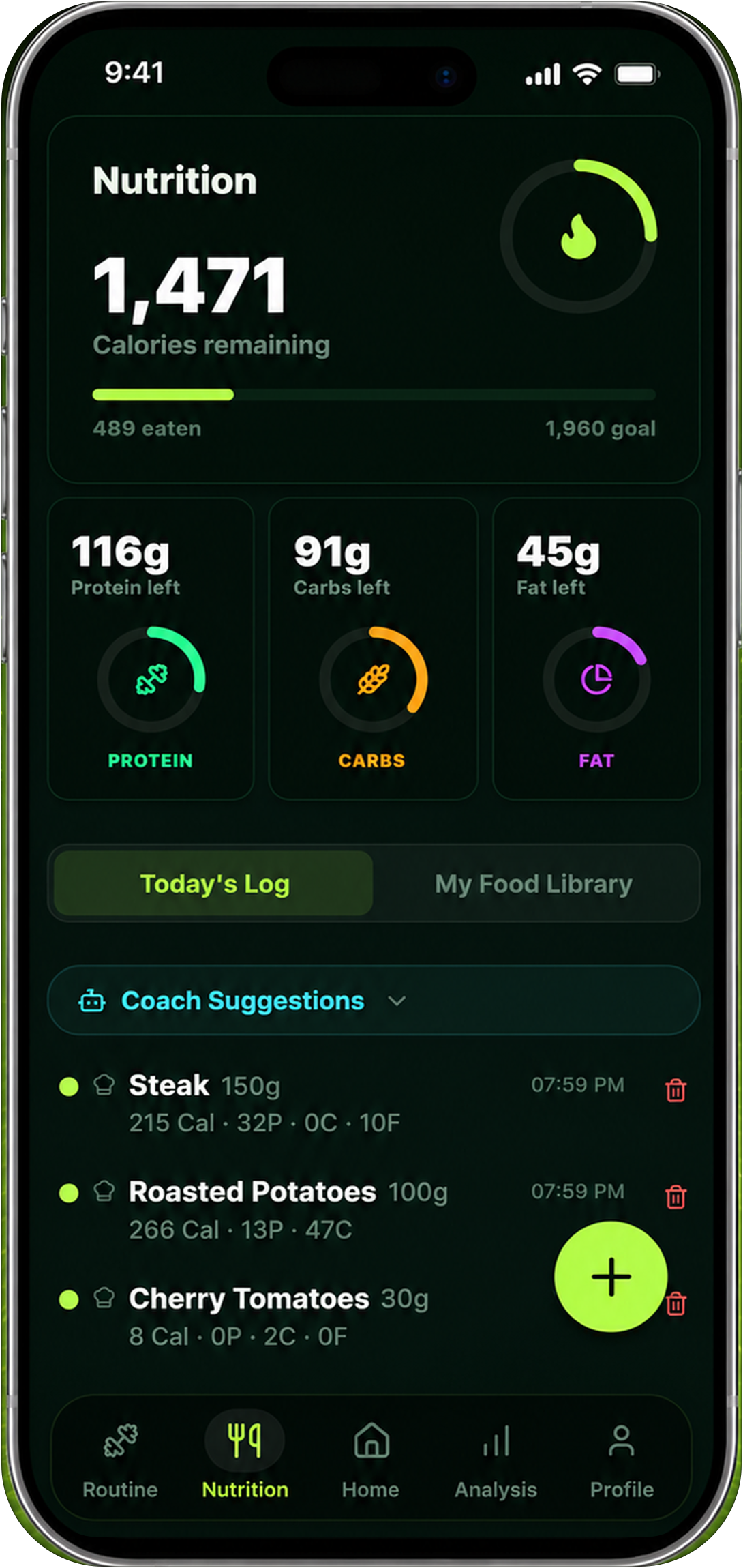
- The plan changes instead of the image. Your real inputs and check-ins inform training load, nutrition targets, and the next decision in the 90-day plan.
- The result is a trend. The useful output is not a fantasy after-photo. It is a clearer view of what is changing and what to adjust next.
Best for: people who want a repeatable check-in loop, adaptive training and nutrition guidance, and a realistic next step.
Not best for: people who only want a fun photo or video editor. Use a body editor for that job; use Reset90 when the job is real progress and the next plan decision.
06Editor or plan: which one do you need?
If you are still unsure, answer one question: what do you want to happen after the app finishes?
| If you want to... | Choose... | Why |
|---|---|---|
| See a different version of yourself in one picture | Peachy, BodyTune, or another photo body editor | The edit is the result. |
| Make a social photo or video look more polished | Facetune or PrettyUp | Control, retouching, and content output matter most. |
| Try a browser-based body reshape | BeautyPlus AI Body Editor | The workflow is upload, select, adjust, and process. |
| Know whether your training is working | Reset90 | Consistent check-ins connect visual progress to training and nutrition decisions. |
| Get a realistic next 90 days | Reset90 | The AI adjusts the plan rather than manufacturing an image. |
The distinction is simple: an editor changes how the image looks, while Reset90 changes what you do next. One edit lasts a second. A useful plan can guide the next 90 days.
07Frequently asked questions
What is the best AI body editor app?
For a broad mobile photo-editing toolkit, Peachy is a strong all-round choice. BodyTune is more specialized for body controls, Facetune is useful when you want manual refinement, BeautyPlus is convenient for an online workflow, and PrettyUp is relevant when video matters. The best option depends on your task, platform, tolerance for ads or subscriptions, and need for control.
Which AI body editor is free?
Several apps and online tools offer a free tier, but “free” can still mean ads, limited exports, watermarks, locked features, or in-app purchases. Check the current platform listing and test the complete save/export path before uploading a personal photo.
What app can reshape a body in a video?
PrettyUp is positioned for photo and video body editing, and other video-capable editors may offer similar tools. Review multiple frames for wobble, background distortion, and clothing-edge artifacts before sharing the result.
Can a body editor track real fitness progress?
No. It changes an image rather than measuring a real change. If you want consistent body check-ins connected to training, nutrition, and an adaptive 90-day plan, Reset90 is the better-fit category.
Does Reset90 edit photos?
No. Reset90 uses real check-ins as evidence and adjusts the plan around them. It does not add a “make me leaner” effect or turn an edited photo into a progress measurement.
08Final verdict: edit the image or edit the plan
AI body editors are useful when the output you want is an edited photo or video. Peachy, BodyTune, Facetune, BeautyPlus, and PrettyUp each fit a different version of that job. Compare them by platform, control, privacy, price, and whether the result still looks natural outside the preview screen.
If the output you want is real progress, choose a system that keeps the photo honest and changes the plan. Reset90 is built for that different question: not “what could I look like?” but “what should I do next?”
The Reset90 system
Useful ideas for building a body you can keep.
Training notes, product updates, and practical ways to make your next 90 days count.
Start your next 90 days
Get your daily training, nutrition, and check-in priorities in one adaptive system.


Keep reading
Related articles
Ideal Body Measurements for Women
There is no single ideal body measurement set for women. Learn how averages, waist-to-height, body shape and repeatable tracking fit together without chasing a fixed beauty standard.
Read article
Bulk, Cut, or Recomp? A Practical Decision Guide
A practical way to choose a bulk, cut, recomp, or maintenance phase using your goal, training age, recovery, and repeatable progress signals.
Read article
How Often Should You Take Progress Photos?
How often should you take progress photos? Use this goal-based guide to choose weekly, biweekly, or monthly check-ins and make every comparison more consistent.
Read article