
Best Apps to Track Weight Loss on Ozempic (Without Losing Muscle)
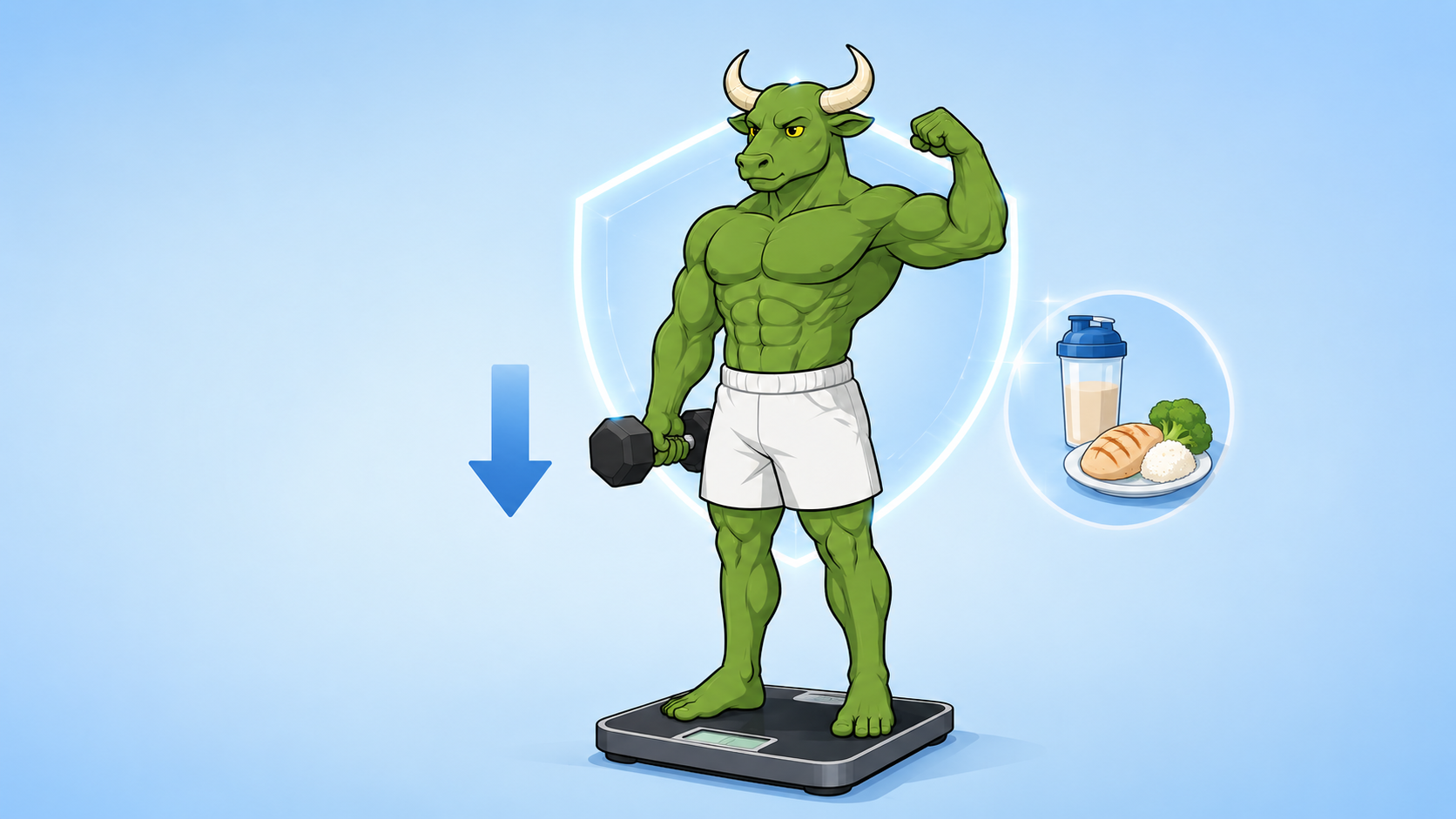
Ozempic makes the scale drop — the question is what drops with it. The best apps track muscle, not just weight, and one system keeps all four signals moving together.
By Reset90 AI Editorial Team
Short answer: The best app for tracking weight loss on Ozempic depends on the job. A medication tracker can help you record a clinician-directed routine and symptoms; a nutrition or scale app can show food and weight trends; a fitness system can help you stay consistent with training and progress. Reset90 AI fits the training, nutrition, progress, and 90-day follow-through layer. It does not set your dose, replace medical care, or make medication decisions.
01What should an Ozempic app track?
If you search for “Ozempic app,” first separate four jobs: recording a clinician-directed medication routine, tracking weight progress, understanding nutrition and symptoms, and supporting the habits that help you stay active and nourished. One app may help with one or more of these jobs; no app should make dosing decisions.
| If your goal is... | Useful app features | Important boundary |
|---|---|---|
| Keep the medication routine organized | Reminders plus a record of the prescribed date, dose, injection site, questions, or symptoms | Follow the prescription label and clinician; never use an app to change dose or schedule. |
| See whether weight loss is progressing | Consistent weigh-ins, weekly trends, and notes about energy or adherence | Use trends rather than reacting to one daily number. |
| Understand nutrition and symptom context | Meal, protein, hydration, appetite, and symptom notes | Ask a qualified clinician or dietitian for medical or nutrition advice when side effects affect intake. |
| Support training and muscle-related goals | Strength sessions, recovery check-ins, progress photos, and a manageable plan | A fitness app cannot diagnose or clinically measure body composition. |
For this article, the useful comparison is not “which app has Ozempic in its name?” It is which app covers the job you actually need. Choose a dedicated medication tracker for reminders and records, a nutrition tracker for detailed food logging, a scale app for weight trends, or Reset90 AI when the missing layer is training, nutrition targets, progress check-ins, and a repeatable 90-day routine. Reset90 AI is not a medication manager or a substitute for medical care.
The scale cannot tell you whether a change came from fat, water, or lean tissue. A useful setup therefore watches the trend alongside nutrition, training, recovery, and how you feel. On an appetite-suppressing medication, that context can be more actionable than a single daily weigh-in — but it is still not a diagnosis or a reason to change treatment without your clinician.
02Why is muscle the real question on a GLP-1?
Appetite, intake, activity, and training can all change during a weight-loss program. That is why a responsible tracking setup looks beyond the scale: keep nutrition adequate for your goals, record relevant context, and keep strength work appropriate for your ability. If nausea, dehydration, pain, unusual fatigue, or another concern affects eating or exercise, use your clinician or dietitian as the source of medical guidance. The question is not only whether the scale moves; it is whether the plan remains safe, sustainable, and aligned with your goals.
03Where Reset90 AI fits in the Ozempic app landscape
Platform: iOS + Android
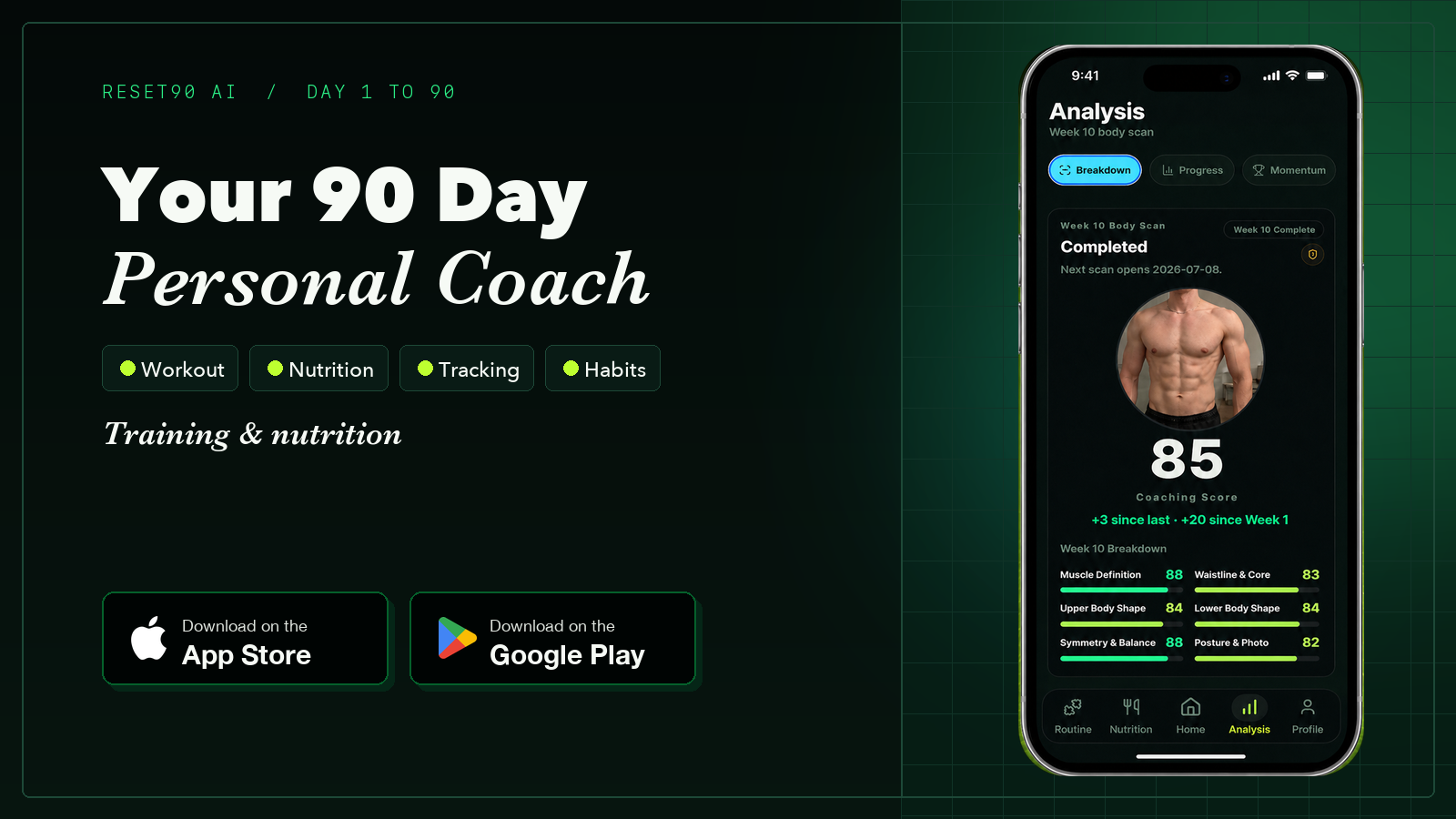
Most Ozempic app results focus on the medication routine: reminders, dose history, injection sites, or symptom notes. Reset90 AI serves a different layer. It is for people who want a practical system for training, nutrition, progress check-ins, and 90-day follow-through around clinician-directed care. It does not track injections or tell you how to use medication.
- Personalized starting point: your biometrics, goals, schedule, and preferences shape a manageable 90-day plan for the fitness and nutrition side of your routine.
- Actionable daily loop: the app turns the plan into workouts, meal targets, and check-ins so you can see what to do next instead of maintaining a scattered stack of notes.
- Progress context: consistent check-ins and progress photos help you review change over time. They are useful signals, not clinical body-composition measurements.
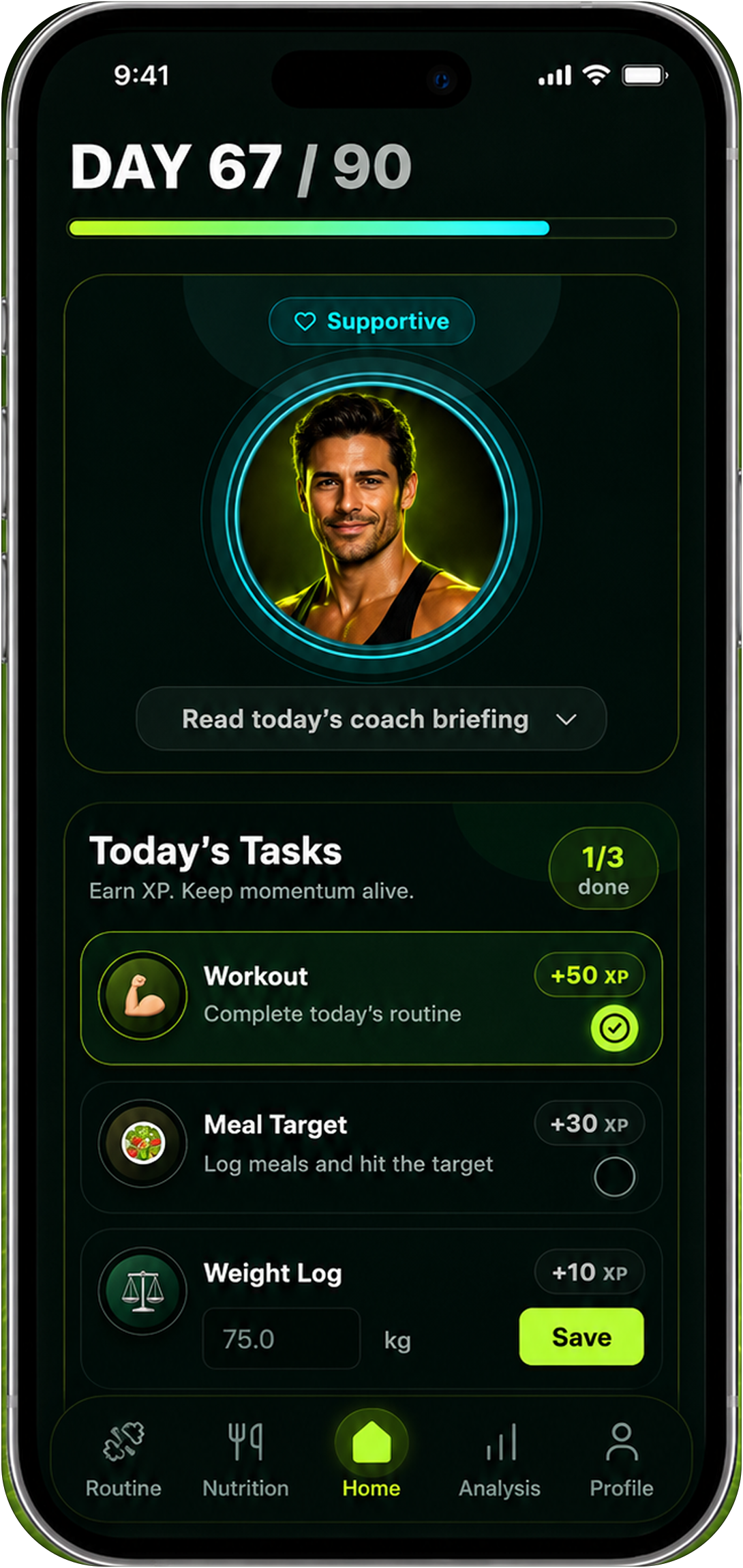
Progressive training, nutrition targets, and regular check-ins can make the fitness side of a weight-loss plan easier to follow. Reset90 AI is designed to help you keep those behaviors connected; it does not promise a particular rate of loss, determine whether tissue is fat or muscle, or provide medication guidance.
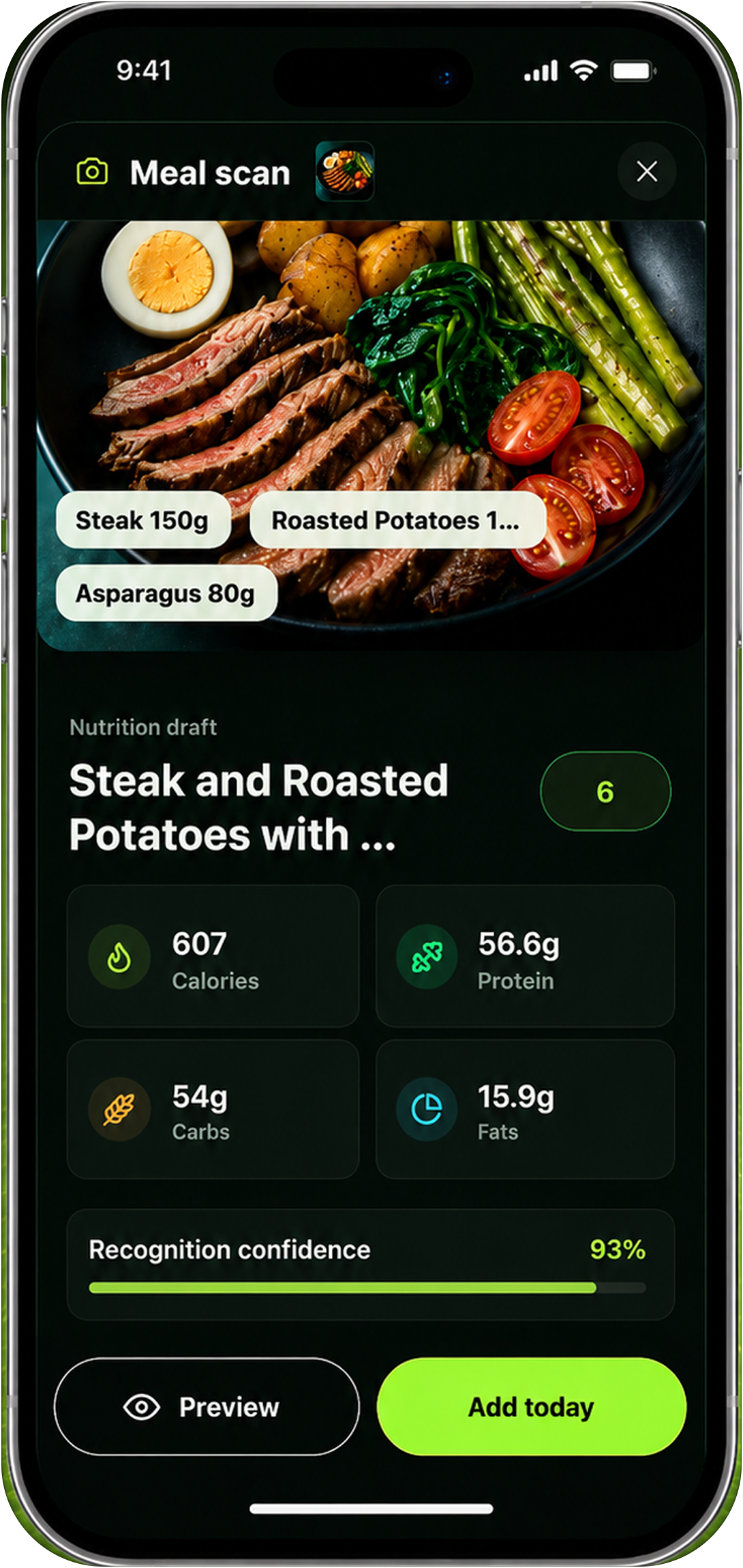
Strengths: connects training, nutrition targets, progress check-ins, and a 90-day routine; turns goals into daily actions; available on iOS and Android.
Weaknesses: it is not a medication tracker, clinical measurement tool, or source of medical advice. If you need direct medication records or symptom support, choose a product built for that job and keep your clinician involved.
Best for: people who already have clinician-directed medication care and want a consistent fitness and nutrition layer around it. See how the loop works: know whether your fitness plan is working, and how the same system handles body recomposition.
04What are the four signals that matter on Ozempic?
Whatever app you choose, these four signals decide whether the weight loss is healthy. The best setup keeps all four visible in one place:
| Signal | What it tells you | Why it matters on a GLP-1 |
|---|---|---|
| Weight trend | Weekly direction, not daily noise | The baseline — water and food make daily readings useless |
| Body-composition proxy | Whether the loss is fat or muscle | The difference between a transformation and a hollow cut |
| Protein intake | The muscle-preservation lever | Appetite suppression makes hitting protein an active project |
| Strength | Whether the muscle actually stayed | If your top sets hold while weight drops, the muscle held |
05Which Ozempic tracker apps focus on medication routines?
The first five results for “ozempic app” include several products built around medication support. They are useful to compare with Reset90 AI because they solve a different problem:
| App or product type | What it is designed to record | What to check before relying on it |
|---|---|---|
| Glapp | Injection and dose records, side effects, appetite, weight, and estimated medication levels | Product-specific features and estimates are not a substitute for clinical advice. |
| MeAgain | Weekly shot routine, dose steps, injection sites, symptoms, food, water, protein, and weight | Review subscription terms and keep treatment questions with your clinician. |
| Shotsy | Shot and dose history, site rotation, reminders, symptoms, weight, nutrition, and reports | Estimated medication levels are tracking aids, not clinical measurements. |
| Official Ozempic support apps | Reminders, appointment preparation, treatment resources, and product education | Availability and features can depend on country, prescription, and program eligibility. |
These products can be appropriate when the missing job is medication-routine organization. Reset90 AI is a different layer: training, nutrition, progress, and 90-day habit follow-through. Some people may use both, but neither should replace clinician-directed care.
06Is MacroFactor the best nutrition tracker on a GLP-1?
Platform: iOS + Android · Price: around $12 per month
MacroFactor watches your actual weight changes against your logged intake and adjusts its estimate of your maintenance calories week by week — useful when appetite suppression pushes you into a deeper deficit than planned.
Strengths: adaptive metabolism estimate; precise protein targets; strong logging experience.
Weaknesses: manual logging on top of a medication that already makes eating feel like work; no body composition tracking; no training plan; a single-slot tool that still leaves three signals uncovered.
Best for: people who will log every meal and already have the rest of the stack.
07Is MyFitnessPal enough for Ozempic weight loss?
Platform: iOS + Android · Price: Free with premium
MyFitnessPal is the default calorie counter — a huge food database and simple logging.
Strengths: familiar; huge database; free tier covers basic calories and protein.
Weaknesses: no composition signal; no strength signal; no adaptive plan — it tells you what you ate, not whether the weight is coming off the right way.
Best for: quick calorie logging when you already have a plan elsewhere.
08Is Happy Scale worth adding for the weight trend?
Platform: iOS · Price: Free with premium
Happy Scale smooths daily weigh-ins into a clean trend line and shows projected milestones — genuinely good at the one job of making the scale readable.
Strengths: best-in-class trend smoothing; motivating projections; cheap.
Weaknesses: iOS only; weight only — no composition, protein, or strength; it visualizes the number but does nothing with it.
Best for: the weight-trend slot, and nothing else.
09Are Withings smart scale apps useful on a GLP-1?
Platform: iOS + Android · Price: $90+ hardware
Withings Health Mate syncs weight automatically and shows estimated lean mass, fat mass, and water from BIA.
Strengths: clean dashboard; auto-sync; a usable trend over weeks.
Weaknesses: BIA body composition is noisy day to day; no protein or strength tracking; the hardware cost only buys the trend.
Best for: people who want a zero-effort weight log alongside a real system.
10Is SKOR worth it for Ozempic face and skin tracking?
Platform: iOS · Price: around £2.99 per week
SKOR is the only app explicitly marketed to GLP-1 users, tracking face slimming, body contour, and skin laxity — the “Ozempic face” concern most apps ignore.
Strengths: the only face-and-skin tracker in the category; speaks directly to the GLP-1 audience; simple workflow.
Weaknesses: light body composition depth; steep subscription for a directional check-in; no nutrition or training — it tracks appearance, not the plan.
Best for: people who specifically care about face and skin changes and already run a system for everything else.
11Which app should you use to track weight loss on Ozempic?
The conventional answer is a four-app stack: a scale dashboard, a composition app, a nutrition app, and a workout logger. The honest answer is that stacks break. Somewhere around week six, one app gets forgotten and the signals stop lining up.
The right choice depends on the missing job. Use a dedicated tracker for injection and symptom records, a nutrition app for detailed food logging, a scale app for weight trends, or Reset90 AI when you need training, nutrition targets, progress context, and a repeatable 90-day routine in one place. If you want one system that connects training, food, and recovery, our roundup of all-in-one fitness apps is the companion piece.
| App or category | Primary job | Useful signal | Best fit |
|---|---|---|---|
| Reset90 AI | Training, nutrition, progress, and 90-day follow-through | Check-ins, progress photos, workouts, and nutrition targets | A connected fitness layer around clinician-directed care |
| Medication tracker | Injection, dose, site, reminder, and symptom records | Routine history and questions for appointments | Medication-routine organization |
| MacroFactor | Detailed nutrition logging | Logged intake and weight trend | People who will log meals consistently |
| Happy Scale | Weight-trend visualization | Smoothed weight trend and milestones | A simple scale-focused view |
| Withings | Connected scale and health dashboard | Auto-synced weight and BIA estimates | People who want low-friction weigh-ins |
| SKOR | Face and skin appearance check-ins | Directional photo-based appearance trend | People focused on appearance changes |
12Frequently asked questions
How does Reset90 protect muscle while you are on Ozempic?
Reset90 makes protein-priority nutrition and strength-preserving training part of the plan instead of optional extras. Your biometrics shape a personalized 90-day plan, daily protein and calorie targets adapt from your adherence and trajectory, prescribed progressive overload keeps the strength signal alive, and weekly guided Body Skin check-ins show whether the loss is fat or muscle.
Can an app tell if you are losing fat or muscle on Ozempic?
Only CT and MRI measure composition directly; DEXA is the best proxy outside a lab. Consumer apps estimate. Reset90’s weekly Body Skin check-ins — consistent photos with guided lighting and poses — are the practical way to watch the trend, and the adaptive plan reacts to it. For lab-grade numbers, add a quarterly DEXA.
Is a calorie tracker enough on Ozempic?
No. The scale dropping is easy on a GLP-1; keeping muscle is the hard part. You need protein targets, strength training, and a composition proxy — which is why a single calorie counter is usually one signal out of four.
Should you weigh yourself daily while on Ozempic?
Daily readings are noise; the weekly trend is the signal. Weigh in the same conditions and let the trend decide — and let the plan, not the number, drive what you do next.
Can Reset90 remind me to take Ozempic?
No. Reset90 AI is not a medication reminder, dose manager, or injection tracker. Follow the schedule prescribed by your clinician and use a dedicated medication-support tool only as an organizational aid.
What is the difference between an Ozempic tracker and Reset90 AI?
An Ozempic tracker is generally designed to record medication routines, injection details, reminders, or symptoms. Reset90 AI is designed for the fitness and nutrition layer: workouts, meal targets, progress check-ins, and 90-day follow-through. They may be complementary, but neither replaces clinician-directed care.
Is Reset90 medical advice?
No. Reset90 is a fitness and nutrition planning tool and does not diagnose or treat medical conditions. GLP-1 medication decisions belong to you and your clinician — Reset90 is the system that keeps your training, nutrition, and progress honest around them.
The Reset90 system
Useful ideas for building a body you can keep.
Training notes, product updates, and practical ways to make your next 90 days count.
Start your next 90 days
Get your daily training, nutrition, and check-in priorities in one adaptive system.


Keep reading
Related articles

Ideal Body Measurements for Women
There is no single ideal body measurement set for women. Learn how averages, waist-to-height, body shape and repeatable tracking fit together without chasing a fixed beauty standard.
Read article
Bulk, Cut, or Recomp? A Practical Decision Guide
A practical way to choose a bulk, cut, recomp, or maintenance phase using your goal, training age, recovery, and repeatable progress signals.
Read article
How Often Should You Take Progress Photos?
How often should you take progress photos? Use this goal-based guide to choose weekly, biweekly, or monthly check-ins and make every comparison more consistent.
Read article