
5 Best Body Fat Scanner Apps in 2026 (Ranked & Compared)
The fastest scanner, the simplest scanner, the best 3D scanner — and the one system that turns every scan into a plan change.
By Reset90 AI Editorial Team
Short answer: If you want a body scanner app for weight loss, choose by what you need to see: a photo estimate, a 3D body shape, or a repeatable trend you can act on. Phone scans are estimates, not DEXA results; use the same setup every time and judge the direction over 4–8 weeks. Reset90 ranks first when the goal is turning a weekly Body Skin trend into the next training and meal adjustment, not when you need a clinical measurement.
01Choose a body fat scanner by the job you need done
“Best” depends on what you want after the scan. A photo estimator, a 3D shape tool, and a progress system answer different questions.
| Your weight-loss task | Best fit from this guide | What to verify |
|---|---|---|
| Get a quick body-fat estimate | Formfy or bodyfatAI | Use the same setup each time; a one-off number is not a clinical result or a complete progress plan. |
| Track 3D shape or circumference change | MeThreeSixty | Front/side or 3D scans can show shape trends, but pose, distance, device, and body-size limits can affect repeatability. |
| See visible change beyond the scale | Progress-photo or visual-trend tools | Standardize lighting, clothing, distance, and pose; visual change is useful context, not a direct body-fat measurement. |
| Use a scanner signal to choose the next action | Reset90 | Weekly Body Skin check-ins connect the trend to training and meals, but Reset90 is not a clinical scanner. |
| Need a clinical or tape-measure baseline | Professional measurement, DEXA, or a tape-measure log | This is a different job from a consumer phone scanner; use qualified guidance when the number affects a health decision. |
How to use a body scanner app for weight loss
A scanner is most useful when the measurement protocol stays boring. Scan at roughly the same time of day, with similar lighting, distance, clothing, and pose. Scan weekly rather than reacting to a single reading, compare the direction over 4–8 weeks, and rescan an obvious outlier before changing your plan.
Pair the scan trend with what you actually did: training consistency, food intake, recovery, and body measurements or photos. If the trend stalls across several weeks, adjust one part of the plan and give it time to show a signal. If a reading conflicts sharply with how you feel or with other measurements, treat it as an estimate and seek qualified guidance for health decisions.
Use any photo or smart-scale estimate as a trend signal rather than a diagnosis. A published smartphone image-based method has been evaluated against DXA in a validation study, but that evidence does not automatically validate every consumer app or guarantee individual accuracy; compare your own readings under consistent conditions.
You download a “body fat scanner,” point your phone at the mirror, and it gives you a number. The next app gives you a number three points lower. A smart scale gives you a fourth number that changes after a glass of water. Then nothing happens — the numbers sit in a history screen, and the plan stays exactly the same. That is the scanner trap, and most scanner apps are built to keep you in it.
02Why does Reset90 rank first?
Platform: iOS + Android
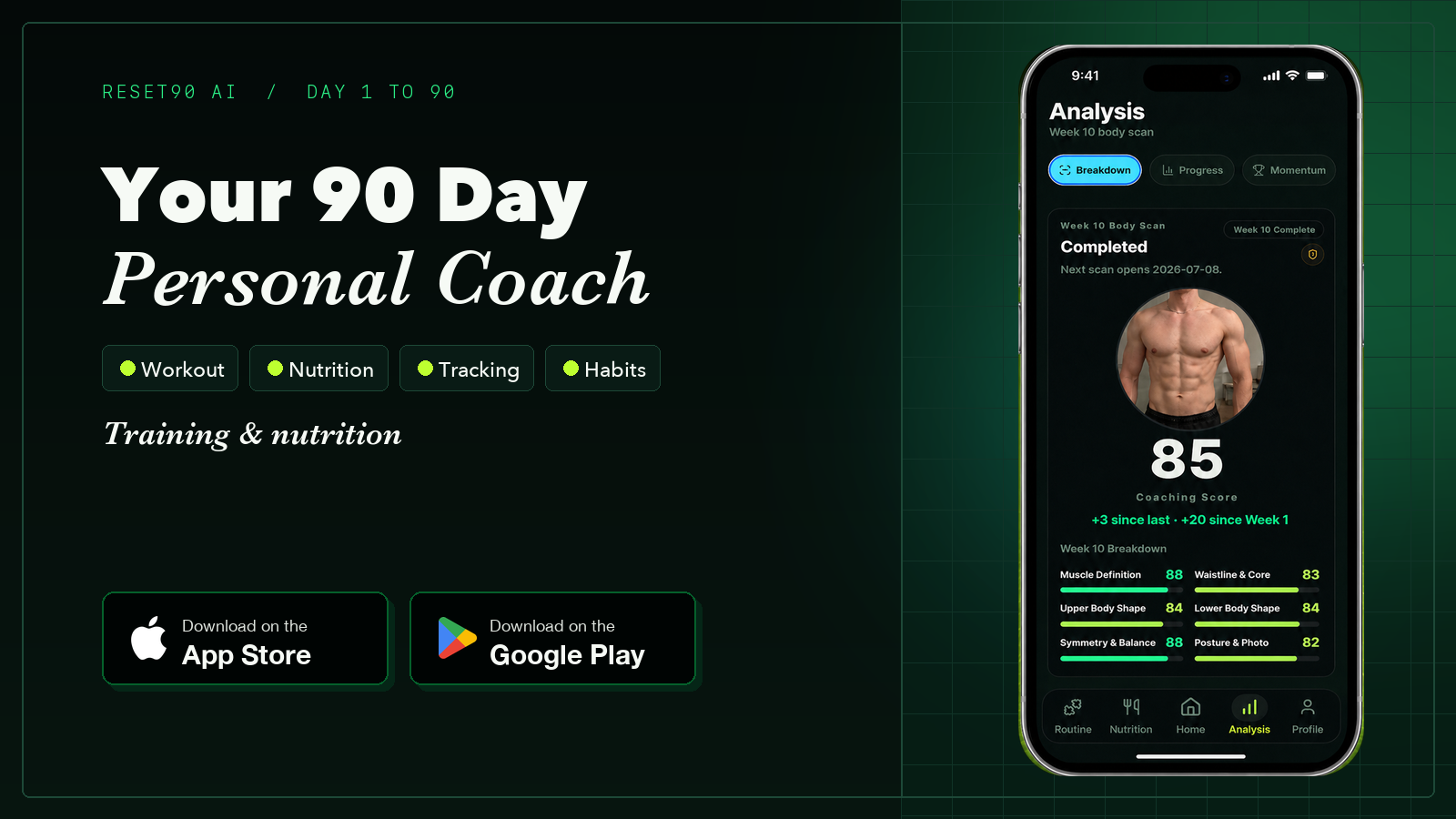
Reset90 approaches tracking from a different angle. Instead of scanning for a number, it looks at what actually changes week to week. Every week you complete a Body Skin check-in — a few consistent photos — and the app produces AI-powered scores drawn from multiple signals: visible change, consistency, training load, adherence, and trajectory. Those scores feed a 90-day adaptive plan, so the check-in is never a dead end.
Best fit for weight loss: choose Reset90 when a scanner signal is only useful if it changes the next action. The weekly Body Skin trend is read alongside training load, adherence, and nutrition signals, then used to set the next training target and meal adjustment. That gives you a way to use and learn from the trend without reacting to one reading. Reset90 does not calculate clinical body fat or diagnose health conditions.
- Train: prescribed workouts with progressive overload, so the check-in result has something to act on.
- Meals: daily calorie and macro targets that shift with training load, adherence, and trajectory.
- Body Skin: weekly visual check-ins with AI-powered scores drawn from multiple signals.
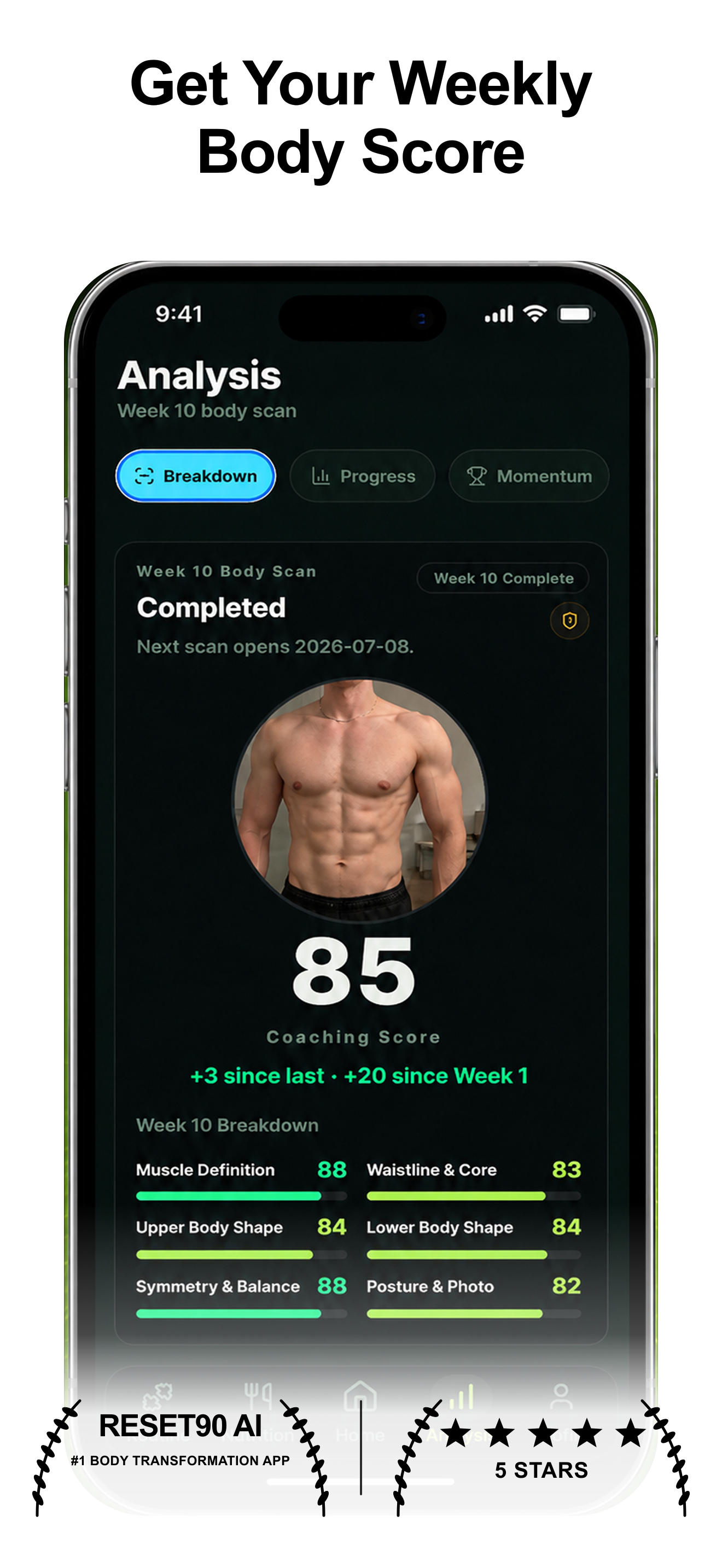
Here is the difference between a scanner and a system: a scanner tells you a number moved. Reset90 changes what you do about it — the next target adjusts, the carbohydrate target gets corrected, and every adjustment shows what changed and why. You can always override it. The number stops being a screenshot and becomes an input to tomorrow’s plan.
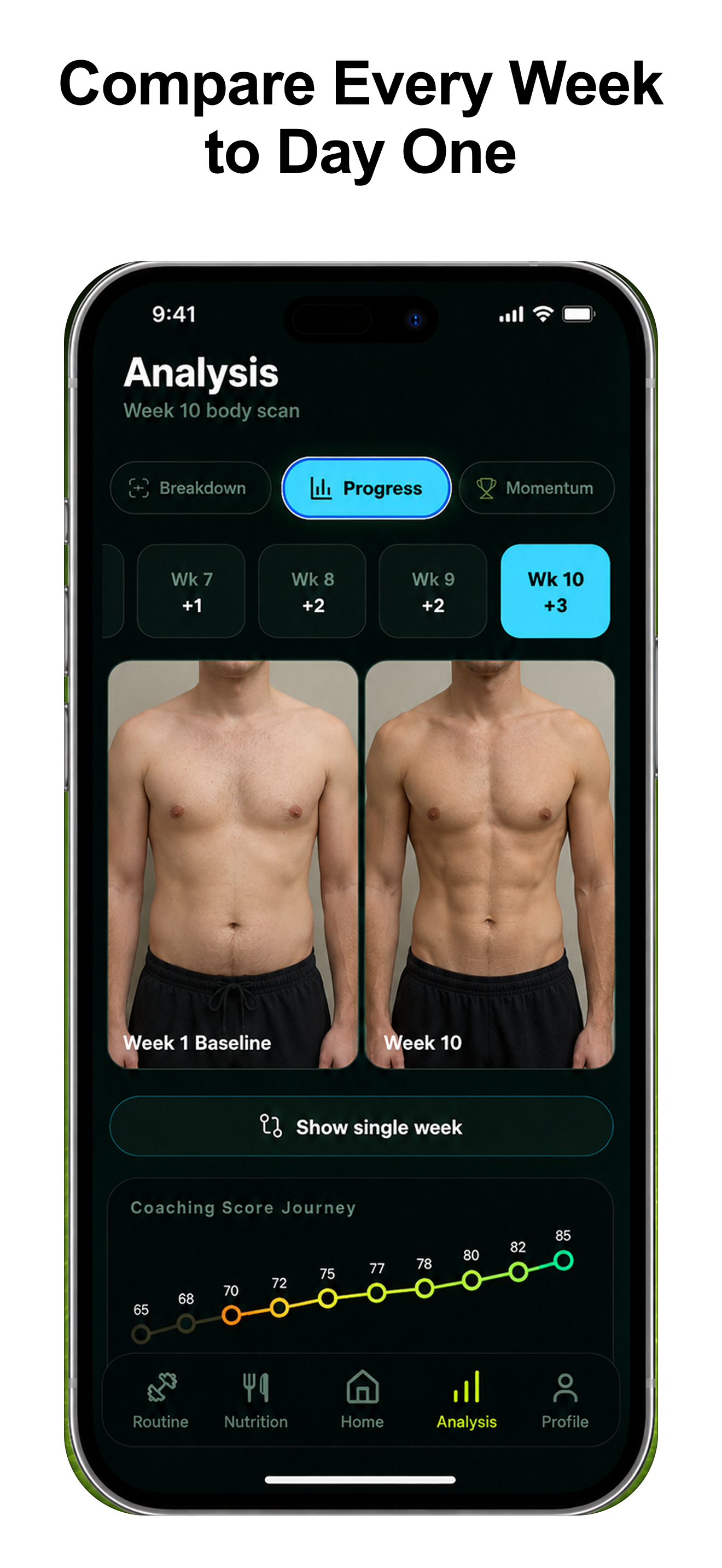
Strengths: the only system where the check-in changes the plan; AI-powered Body Skin scores from multiple signals; training, meals, and body tracking connected; weekly comparisons that show the trend the scanner can only hint at; iOS and Android.
Weaknesses: one honest trade-off — it is not a measurement lab, so if you want lab-grade numbers or a 3D avatar, pair Reset90 with a dedicated scanner. Reset90 is the system around the measurement, not the measurement itself.
Best for: anyone who has ever scanned themselves, looked at the number, and done nothing with it. See how the loop works: know whether your fitness plan is working, and how the same system handles body recomposition.
03Which scanners did we test, and how did we rank them?
We tested the scanner apps people actually search for: Formfy, bodyfatAI, Spren, Recomp AI, and MeThreeSixty. Ranking criteria: accuracy evidence, consistency, trend tracking, what the app does beyond the number, and platform availability.
04Is Formfy the fastest scanner?
Platform: iOS · Price: Free with subscription
Formfy returns an estimate from a full-body photo in seconds and bundles a meal photo scanner for calories.
Strengths: genuinely fast; clean interface; dual-purpose with meal scanning.
Weaknesses: no timeline, no comparison, no muscle-group analysis; some features are gated behind a 7-day usage requirement; the number is a snapshot with no plan attached.
Best for: a one-off scan with zero friction.
05Is bodyfatAI the simplest scanner?
Platform: iOS · Price: Free with subscription
bodyfatAI does exactly what its name says — scans and keeps a basic log over time.
Strengths: dead simple; no learning curve; a basic running log of the number.
Weaknesses: no published accuracy validation; no muscle-group breakdown; no comparison reports; no coaching — it scans and stores, it does not interpret or act.
Best for: people who want a no-frills number and nothing else.
06Is Spren the most clinical scanner?
Platform: iOS · Price: Free with subscription
Spren positions itself as a body composition scanner, estimating from photos and marketing results as comparable to DEXA.
Strengths: composition-first scan; real emphasis on validation; clean wellness presentation.
Weaknesses: no per-muscle scoring for lifters; lighter tracking than a progress-photo system; “comparable to DEXA” is a claim you should test against your own baseline.
Best for: people who care more about composition numbers than muscle-group detail.
07Is MeThreeSixty the best 3D scanner?
Platform: iOS · Price: Free with subscription
MeThreeSixty builds a 3D avatar from front and side photos and captures 14+ circumference measurements — a shape and size scanner more than a composition scanner.
Strengths: genuinely useful for tracking waist, hips, arms, and chest without a tape measure; great for visualizing shape change.
Weaknesses: composition is a secondary output; the 3D model is the headline, not measurement accuracy; no plan and no nutrition layer.
Best for: people who care about measurements and a 3D shape model.
08Is Recomp AI worth it?
Platform: iOS · Price: Free with subscription
Recomp AI scans for people losing fat and gaining muscle at the same time, with nutrition support around the recomp use case.
Strengths: recomp-focused framing; estimates both sides of the equation.
Weaknesses: no long-term photo timeline; no side-by-side comparison; no workout integration — today’s number without the context of where it is heading.
Best for: people mid-recomp who want scans without a broader system.
09Which body fat scanner should you use in 2026?
Fastest scan: Formfy. Simplest: bodyfatAI. Most clinical: Spren. Best 3D shape model: MeThreeSixty. Best recomp framing: Recomp AI. None of them publish a clinical validation we could verify, so treat every number as a trend signal rather than a lab result.
If your goal is weight loss, use any scanner as one input in a repeatable 4–8 week review rather than as a daily verdict. Pair a scanner you trust with Reset90 when you want the weekly Body Skin trend to change tomorrow’s training and meals; the scanner shows a signal, while Reset90 provides the next-action loop. If you want one system that connects training, food, and recovery instead of five separate apps, our roundup of all-in-one fitness apps is the companion piece.
| App | Type | Accuracy evidence | Tracks over time | Changes your plan | Platform |
|---|---|---|---|---|---|
| Reset90 AI | Weekly check-in system | Multi-signal AI scores | Weekly | Yes — training and meals | iOS + Android |
| Formfy | Photo scanner | Not published | No | No | iOS |
| bodyfatAI | Photo scanner | Not published | Basic log | No | iOS |
| Spren | Composition scanner | Marketed as DEXA-comparable | Basic log | No | iOS |
| MeThreeSixty | 3D shape scanner | Measurements, not composition | 3D avatar | No | iOS |
| Recomp AI | Photo scanner | Not published | No | Nutrition support | iOS |
10Frequently asked questions
How does Reset90 track your body without a scanner?
Reset90 uses weekly Body Skin check-ins — a few consistent photos that produce AI-powered scores drawn from multiple signals. Instead of chasing one number, it evaluates visible change, consistency, and your training and nutrition signals together, then adjusts the plan. The weekly comparison is the signal, not a single reading.
What is the most accurate body fat scanner app in 2026?
No photo scanner on this list publishes a clinical validation we can verify, so treat every estimate as a trend signal. Spren markets itself as comparable to DEXA — test that against your own baseline — and pair whichever scanner you trust with Reset90 so the number changes the plan instead of ending at a screenshot.
Can a phone app really scan body fat from a photo?
Yes, within limits. Photo scanners read muscle definition, proportions, and visible fat distribution to estimate. It is an estimate from inference, not a direct measurement like DEXA — the best claims land close to DEXA, and the worst apps are little better than a guess.
Are body fat scanner apps more accurate than smart scales?
Usually, for consistency. Smart scales use bioelectrical impedance (BIA), which swings with hydration and can vary 3–5% in a single day. Photo-based scans read visual indicators that do not change with a glass of water, so the trend is easier to trust.
What is the difference between a body fat scanner and a 3D scanner?
A body fat scanner estimates from a photo (Formfy, bodyfatAI). A 3D scanner like MeThreeSixty builds an avatar and captures circumference measurements. Choose based on whether you care about the percentage or the shape — and pair either one with a system that acts on the result.
The Reset90 system
Useful ideas for building a body you can keep.
Training notes, product updates, and practical ways to make your next 90 days count.
Start your next 90 days
Get your daily training, nutrition, and check-in priorities in one adaptive system.


Keep reading
Related articles
Ideal Body Measurements for Women
There is no single ideal body measurement set for women. Learn how averages, waist-to-height, body shape and repeatable tracking fit together without chasing a fixed beauty standard.
Read article
Bulk, Cut, or Recomp? A Practical Decision Guide
A practical way to choose a bulk, cut, recomp, or maintenance phase using your goal, training age, recovery, and repeatable progress signals.
Read article
How Often Should You Take Progress Photos?
How often should you take progress photos? Use this goal-based guide to choose weekly, biweekly, or monthly check-ins and make every comparison more consistent.
Read article