
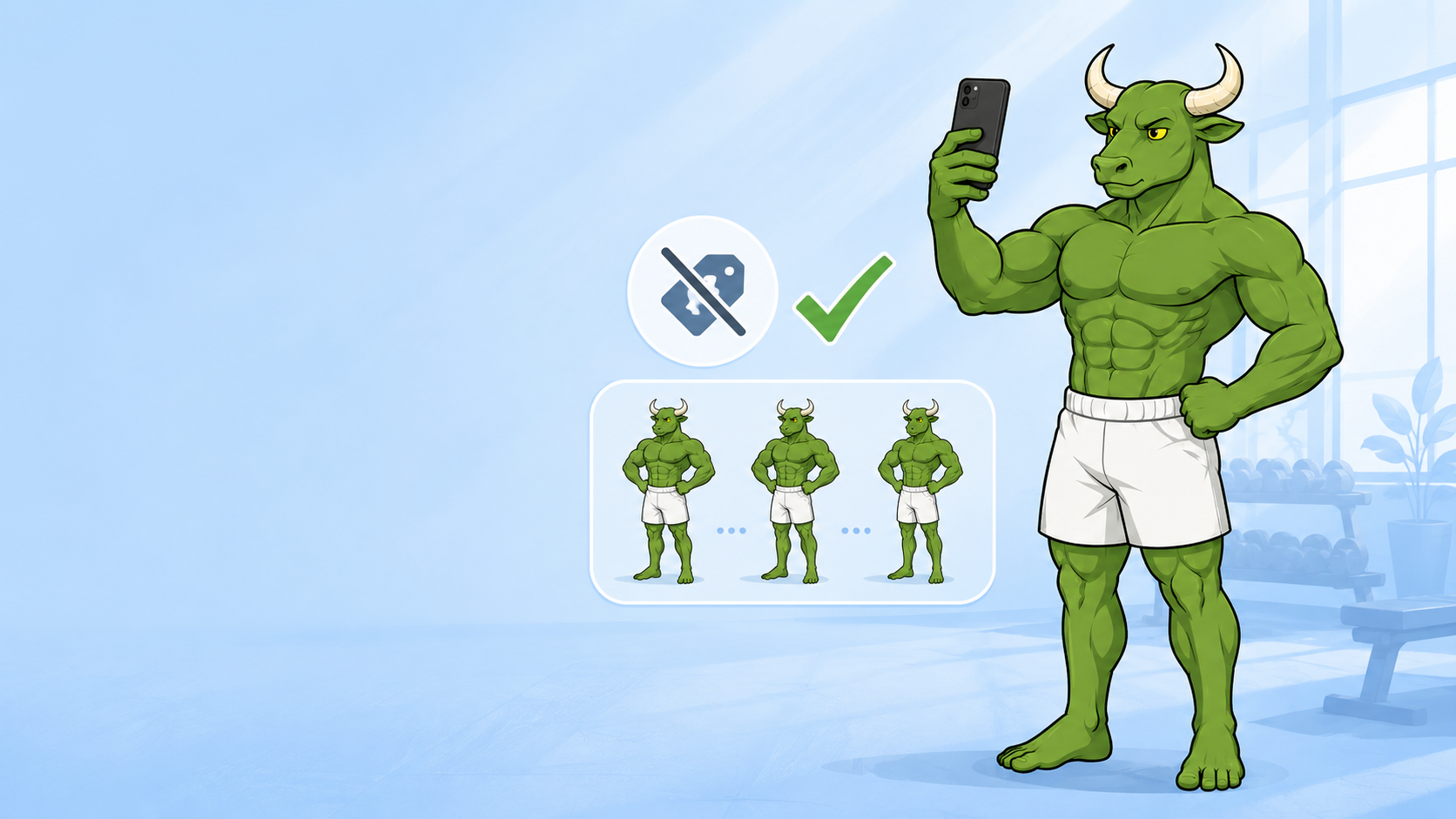
Best Free Progress Photo Apps in 2026 (Ranked & Compared)
Free progress photo apps store your photos. The best one uses them — weekly Body Skin check-ins that change the plan instead of just filling a folder.
By Reset90 AI Editorial Team
Short answer: Choose a free progress photo app by the job you need: Apple Photos for a private folder, SnapTrack for free alignment, Snapsie for a simple photo log, Shapez for photos plus measurements, and Fit-Stitch for a shareable before-and-after. Choose Reset90 AI when you want weekly Body Skin check-ins to connect progress photos with training, nutrition, and a 90-day plan. “Free” usually means the core download or workflow is free, not that every feature is unlocked.
01Which kind of progress photo app do you need?
“Best” depends on whether you want to store photos, make them comparable, add measurements, or use the check-in to decide what to do next. Use this quick map before comparing individual apps:
| If you want... | Best-fit category | What to verify |
|---|---|---|
| A private place to store photos | Device photo library or private album | Account requirements, cloud backup, sharing, and deletion controls |
| Consistent framing | Progress photo app with overlay or pose guidance | Whether alignment is free, how many poses are supported, and whether old photos can be imported |
| Numbers beside the photos | Photo plus measurement tracker | Which measurements are manual, whether charts are free, and how history is exported |
| A clean before-and-after image | Comparison or stitching tool | Crop, aspect ratio, privacy lock, and sharing controls |
| A next action after the check-in | Connected fitness and nutrition system | Whether the app offers verified training, meal-target, check-in, and progress workflows rather than only storage |
“Free progress photo app” sounds like a great deal until you look at what free actually buys. Most free apps are photo folders with a reminder — they store your photos, show them side by side, and then stop. This article separates that documentation layer from the tools that add alignment, measurements, or a connected plan.
02What does “free” actually mean in progress photo apps?
Almost every “free” progress photo app is freemium. The download is free, and a meaningful subset of features — usually the ones that make the app worth using — sits behind a subscription. In this category the typical free tier gives you photo storage, basic side-by-side compare, and sometimes alignment. It may not include analysis, trend insight, exports, or anything that tells you whether the plan is working. The thing to watch is not the price tag. It is what the app does with your photos after you take them.
| Feature | Often included in a free tier | Common limitation to check |
|---|---|---|
| Photo storage or import | Usually yes, sometimes with a photo or album cap | Device-only versus cloud storage, account requirement, and migration |
| Overlay or alignment | Sometimes | Pose count, overlay controls, and whether the feature is Pro-only |
| Side-by-side comparison | Often | Crop, aspect ratio, export quality, and sharing restrictions |
| Reminders and timeline | Often basic | Custom intervals, old-photo import, and long-term history |
| Measurements, analysis, or plan changes | Uncommon | Manual versus automated data, paid tiers, and whether results are only directional |
03How should you evaluate privacy in a progress photo app?
“Zero tracking” is not a standard App Store category. Treat it as a privacy question, not a promise implied by a free download: check what happens to the photos, what permissions the app requests, whether data is shared or used for analytics, and whether you can remove your records. A camera app that says “zero processing” is describing image processing, not necessarily privacy; a product named “Zero” may be a nutrition or wearable app rather than a progress-photo tool.
| Privacy question | What to verify | Why it matters |
|---|---|---|
| Do I need an account? | Whether capture and comparison work without signing in | Fewer required account details can mean a smaller data trail |
| Where are photos stored? | On-device storage, cloud backup, and the provider’s retention language | Storage location affects who can access a sensitive progress photo |
| What does the app access? | Photo-library, camera, analytics, advertising, and third-party SDK disclosures | Permissions and disclosures are more useful than a “private” label |
| Can I export and delete? | Simple export, account deletion, and photo deletion controls | You should be able to leave the workflow without losing control of your records |
| Does the policy explain the use? | Plain-language details about collection, sharing, retention, and changes | A clear policy lets you verify the privacy claim instead of guessing |
For a zero-cost private folder, Apple Photos is the clearest fit in this list, but your device, iCloud, and sharing settings still matter. Do not call an app “zero tracking” from its price or name alone. If you want a guided weekly system rather than a private folder, compare privacy questions separately from the workflow question: the right app should make clear what the photo changes next.
04Where Reset90 AI fits in a progress photo workflow
Platform: iOS + Android
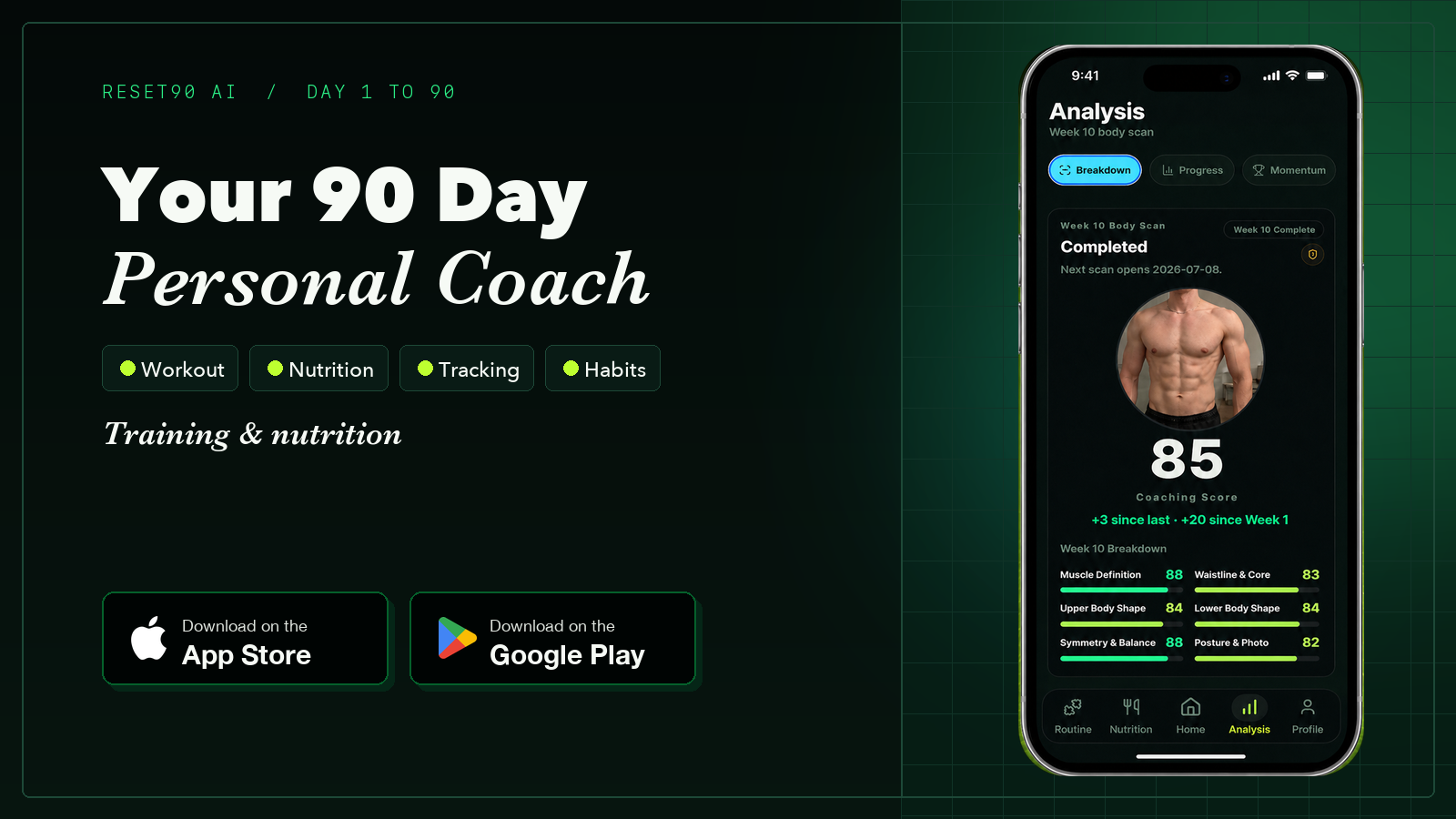
Reset90 AI is not a private photo folder or a dedicated alignment export tool. It fits the next-action part of the workflow: use a regular Body Skin check-in to review progress alongside training, nutrition, adherence, and trajectory, then use the connected 90-day plan to decide what to do next. The app is best for someone who wants photos to support a repeatable fitness and nutrition routine, not for someone who only needs local photo storage.
- Train: prescribed workouts with progression, so the check-in has a practical action attached.
- Meals: daily calorie and macro targets connected to the broader plan and adherence context.
- Body Skin: weekly visual check-ins and progress comparisons that add context to the rest of the plan; they are not clinical body-composition measurements.
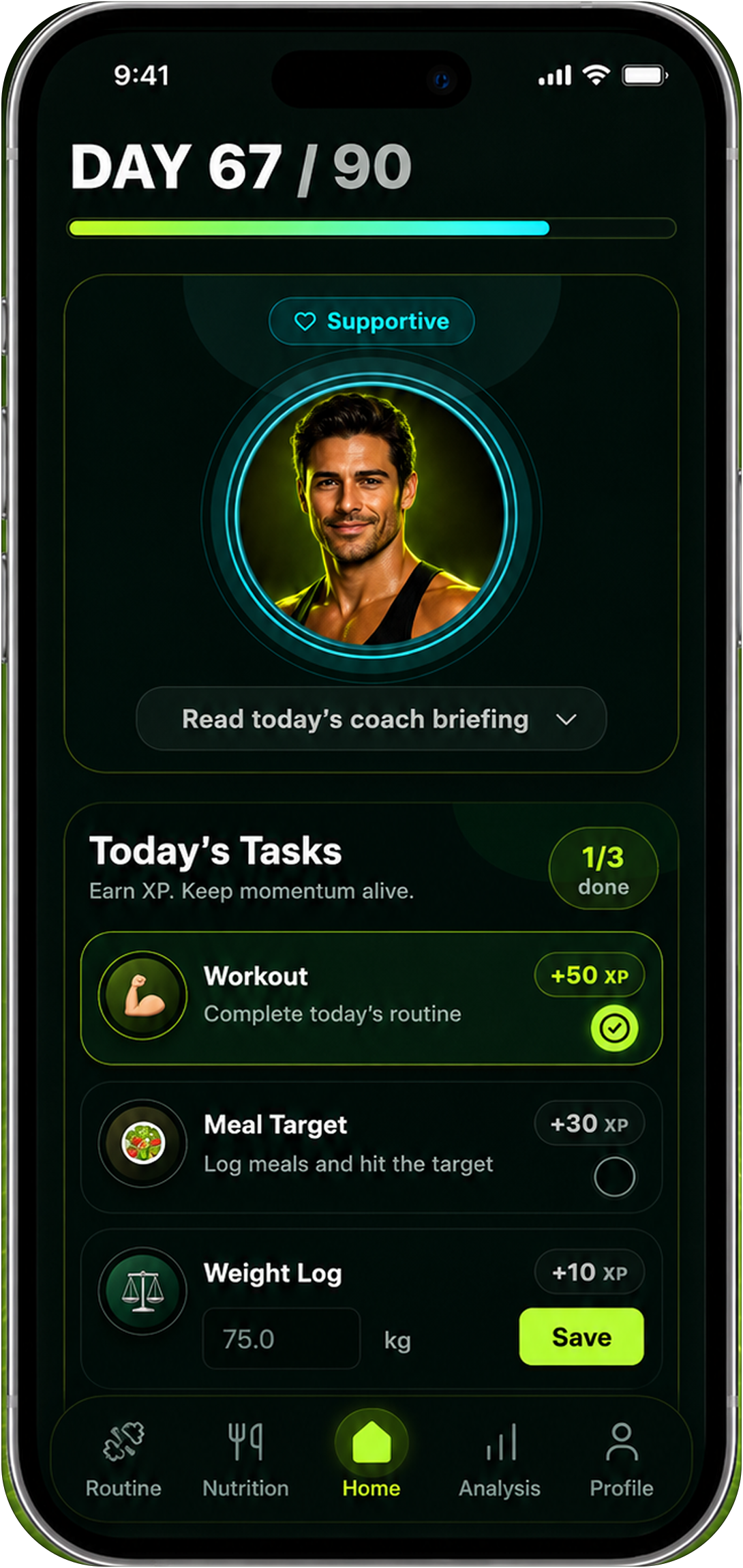
Here is the difference between free storage and a connected system: a photo folder shows you what happened, while Reset90 AI connects the check-in to the next training, nutrition, and adherence decision. The weekly comparison is built in, and the app explains the plan context so you can review what changed without treating one photo as a precise measurement.
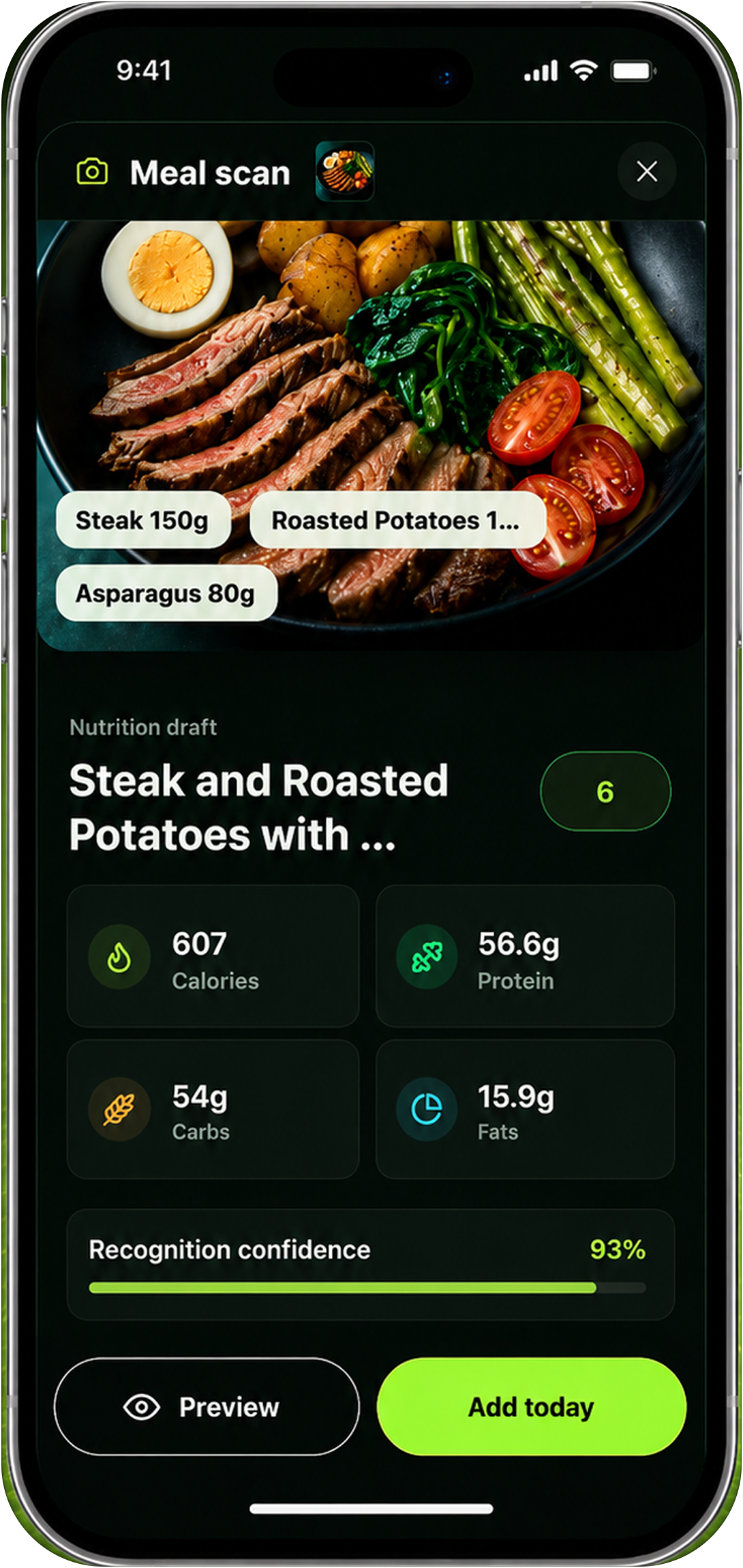
Strengths: free to start; connects weekly Body Skin check-ins with training, nutrition, adherence, and a 90-day plan; progress comparisons are part of the routine; iOS and Android.
Weaknesses: one honest trade-off — it is not the right tool if you only want a private folder, automatic photo stitching, or a clinical body-composition measurement. The full adaptive loop (prescribed training and meals) lives in the paid plan.
Best for: people who want a progress-photo check-in to lead to a fitness or nutrition action. See how the loop works: know whether your fitness plan is working, and how the same system handles body recomposition.
05How do you make progress photos comparable?
An app can organize a photo, but consistency starts before you press the shutter. Use the same routine for every check-in:
- Keep the setup stable: use the same room, lighting direction, camera height, distance, and lens when possible.
- Repeat the pose: use the same front, side, and back positions, with a consistent stance and relaxed or flexed choice.
- Reduce visual noise: keep clothing, time of day, and camera framing similar so a different outfit or angle does not look like body change.
- Use a sensible interval: weekly or biweekly is usually more useful than reacting to a single daily photo.
- Review more than appearance: compare the photo with training performance, nutrition adherence, recovery, and measurements; a photo alone cannot diagnose body composition.
06Is Apple Photos the best zero-cost private folder?
Platform: iOS · Price: Free (iCloud quota)
Apple’s built-in Photos app is on every iPhone and costs nothing. The Hidden album keeps progress photos out of the main camera roll, with on-device privacy.
Strengths: truly free; unlimited within your iCloud quota; private and on-device.
Weaknesses: no alignment overlays; no structured comparison; no trend analysis; no plan — you are doing all the interpretation yourself, and the mirror will lie to you.
Best for: people who just want a private place to dump photos before committing to a workflow.
07Is SnapTrack the best free alignment app?
Platform: iOS · Price: Free, Pro optional
SnapTrack’s free tier covers the loop most lifters actually want: take a photo, see a translucent overlay of the previous photo as you frame the next one, save it to a timeline.
Strengths: body overlay alignment is genuinely free; consistent framing without paying; clean capture loop.
Weaknesses: no AI analysis; no body composition data; no workout integration; no plan — it is a photo album with alignment, and nothing reacts to what the photos show.
Best for: lifters whose problem is inconsistent framing, not missing insight.
08Is Snapsie the simplest free option?
Platform: iOS · Price: Free
Snapsie has been on the App Store since 2017. Open the app, take the photo, save it to a chronological album — almost no friction, very little to learn.
Strengths: lowest possible friction; bare-bones approach; no constant paywall nagging.
Weaknesses: weaker alignment than SnapTrack; basic comparison; no analysis layer; no measurements; no plan — take, save, done, and then nothing.
Best for: lifters who want the simplest possible photo log.
09Is Shapez the best free photos-plus-measurements app?
Platform: iOS · Price: Free, Pro optional
Shapez gives you progress photos plus up to 11 manual measurement points (waist, hips, chest, arms) with basic charting over time.
Strengths: free photos and tape measurements in one place; weekly waist trends charted against photos; real value for serious cutters.
Weaknesses: photo workflow less polished than SnapTrack; basic alignment; no AI analysis; no workout integration; the charts do not change your plan.
Best for: lifters who already track tape measurements and want photos and numbers together.
10Is Fit-Stitch the best free side-by-side maker?
Platform: iOS · Price: Free
Fit-Stitch does one job: stitch two photos into a clean side-by-side comparison ready to share, with Touch ID protection on your library.
Strengths: clean shareable before-and-after images; thoughtful privacy; free core workflow.
Weaknesses: not a primary tracker; no alignment guidance; no analysis; no measurements; no plan — you will use it alongside another app, not instead of one.
Best for: people who store photos elsewhere and just need a comparison image to share.
11What free progress photo apps can’t do
Free tools handle storage, alignment, and basic comparison genuinely well. Here is what they cannot do, no matter how polished the folder is: they cannot tell you whether the plan is working, and they cannot change the plan when it is not. Alignment is visual only. Trend insight is a stack of photos you interpret yourself. Muscle-by-muscle feedback and written analysis of what changed are paid territory. And none of them decide what you should do tomorrow.
12Which free progress photo app should you use in 2026?
If you just want a private folder, Apple Photos is the honest answer. Consistent framing: SnapTrack. Zero friction: Snapsie. Photos plus measurements: Shapez. Shareable before-and-after: Fit-Stitch.
But if you want the photos to support a next action — weekly Body Skin check-ins connected to a 90-day plan and the training and meals around it — Reset90 AI is the relevant fit. Free is only a good deal when the app gives something back. The other tools are better when your priority is storage, alignment, measurements, or export. If you want one system that connects training, food, and recovery instead of five separate apps, our roundup of all-in-one fitness apps is the companion piece.
| App | Best for | Free tier | Alignment | Analysis | Changes your plan | Platform |
|---|---|---|---|---|---|---|
| Reset90 AI | Weekly check-ins that change the plan | Free to start | Visual check-ins | Multi-signal AI scores | Yes | iOS + Android |
| Apple Photos | Private zero-cost folder | Free | No | No | No | iOS |
| SnapTrack | Free alignment overlay | Free, Pro optional | Yes | No | No | iOS |
| Snapsie | Simplest photo log | Free | Basic | No | No | iOS |
| Shapez | Photos + measurements | Free, Pro optional | Basic | No | No | iOS |
| Fit-Stitch | Shareable side-by-side | Free | No | No | No | iOS |
13Frequently asked questions
What does Reset90’s free experience include?
Reset90 is free to start, and the free experience includes the weekly Body Skin check-in rhythm: consistent photos, AI-powered multi-signal scores, and week-to-week comparisons. The full adaptive loop — prescribed training and daily nutrition targets that change the plan — lives in the paid plan, which is shown in the app stores.
Is there a truly free progress photo app?
Yes, for storage and basic comparison. Apple Photos, Snapsie, and Fit-Stitch all work for free at their core job. The free tier may not include alignment, exports, long-term analysis, or a connected action plan, so check the exact feature boundary before committing.
Do I need to pay for progress photo apps?
Only when you cross from documenting to optimizing. If you just want a private photo log, free tools are enough. If you want weekly check-ins that connect your photos with training and meals toward a 90-day goal, Reset90 AI is built for that next step.
What is the best free app for consistent progress photos?
SnapTrack is the best fit in this comparison for a free alignment overlay. For consistency plus a connected fitness and nutrition workflow, Reset90 AI’s Body Skin check-ins combine a recurring photo rhythm with progress context that feeds the plan.
Are free progress photo apps worth it?
For storage and basic comparison, absolutely. The limitation is that free folders never tell you whether the plan is working. That is the difference between keeping a photo journal and running a transformation — and it is the gap Reset90 closes.
The Reset90 system
Useful ideas for building a body you can keep.
Training notes, product updates, and practical ways to make your next 90 days count.
Start your next 90 days
Get your daily training, nutrition, and check-in priorities in one adaptive system.


Keep reading
Related articles
Ideal Body Measurements for Women
There is no single ideal body measurement set for women. Learn how averages, waist-to-height, body shape and repeatable tracking fit together without chasing a fixed beauty standard.
Read article
Bulk, Cut, or Recomp? A Practical Decision Guide
A practical way to choose a bulk, cut, recomp, or maintenance phase using your goal, training age, recovery, and repeatable progress signals.
Read article
How Often Should You Take Progress Photos?
How often should you take progress photos? Use this goal-based guide to choose weekly, biweekly, or monthly check-ins and make every comparison more consistent.
Read article