

Apps Like GainFrame: AI Body-Tracking Alternatives Compared Honestly
AI body-tracking apps do different jobs. Compare body scans, photo timelines, measurements, one-off estimates, and integrated 90-day plans before choosing.
By Reset90 AI Editorial Team
Short answer: There is no universal best GainFrame alternative. Choose by the job you need done: a repeatable photo timeline, circumference numbers, a one-off estimate, a scan-based recomp check, or a training and nutrition plan that turns progress data into the next action. The most useful comparison is the one that matches your input habit and decision—not the app with the most impressive number.
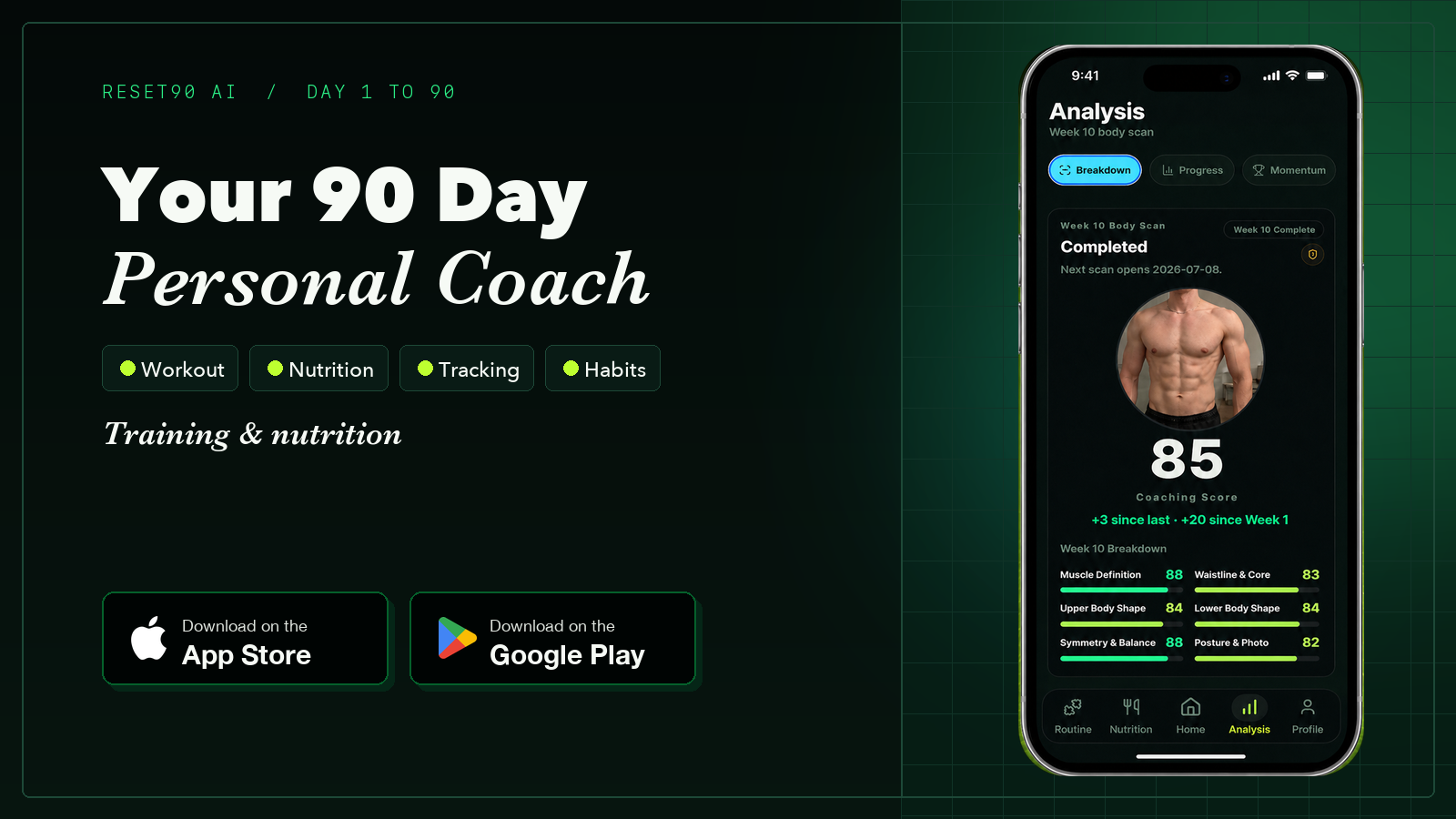
01Start with the job, not the app name
“Apps like GainFrame” sounds like a normal product comparison, but body-tracking tools are not all competing for the same job. Some turn photos into directional body-composition estimates. Some create a 3D avatar and estimate circumferences. Some answer one question once and do not keep a history. Others are built to run a 90-day plan and use progress data to decide what you do next.
That distinction matters more than a feature checklist. If you want to know whether your waist is changing, a circumference history is more useful than a physique score. If you want to see whether a recomp is visible over six months, a standardized photo timeline may be easier to follow than a monthly scan ritual. If you need a plan, another estimate by itself will not fix an adherence problem.
The GainFrame founder’s current alternatives guide makes the same basic mapping: Android users, circumference seekers, one-off estimators, and photo-timeline users need different tools. It is useful market context, but it is also a first-party comparison written by the founder of one of the products. Treat the product details and prices as a dated snapshot, then verify the current store listing before paying.
02The five body-tracking jobs
| Job | Typical input | Best output | History | Friction | Price check |
|---|---|---|---|---|---|
| Photo timeline | Repeatable progress photos | Visual change plus directional scores or estimates | Strong when you keep the same pose and lighting | Medium; the habit is the product | Free caps and subscriptions vary |
| 3D scan and measurements | Guided camera poses or a scan flow | Avatar, circumferences, body-size trends | Useful for periodic check-ins | Medium to high; framing and clothing matter | Free tiers and premium limits change |
| Manual measurement log | Tape, scale, photos, notes | Transparent numbers you can audit | As strong as your consistency | Low tech, but technique-sensitive | Usually the lowest cost |
| One-off AI estimate | One to a few photos | A quick directional answer today | Often limited or absent | Low; useful for a starting point | Browser free tiers vary |
| Integrated 90-day plan | Training, nutrition, check-ins, and progress signals | Actions, adherence review, and a next decision | Built around a plan rather than one reading | Higher commitment, potentially higher payoff | Plan pricing and included features vary |
None of these outputs is a clinical measurement. A useful app can reduce friction and make trends easier to see, but a photo-derived estimate, 3D scan, tape reading, or app score should not be treated as a diagnosis or a replacement for a qualified assessment.
03If you want AI photo analysis
Pick a photo-first tool when your main question is, “Can I see a comparable change over time?” The strongest signal comes from repeating the same pose, camera distance, lighting, clothing level, and review cadence. An AI estimate can add structure to the timeline, but the value is usually in the repeated comparison rather than the absolute number.
GainFrame is positioned in this lane: its founder describes a scored photo check-in with body-composition estimates, a physique score, and muscle-group ratings. The same page also states the boundaries plainly: it is iOS-only, does not provide circumference measurements or a 3D avatar, and infers numbers from images. That narrowness is not automatically a weakness. It can be a strength if your real habit is taking gym photos and reviewing deltas months apart.
Choose a photo timeline if you will actually take photos. Do not choose it because a single screenshot looks precise. Keep the camera and conditions stable, compare trends across several check-ins, and use the result alongside strength, waist, body weight averages, and how consistently you followed the plan.
04If you want 3D measurements
Choose a scan-first tool when the question is, “What is changing in inches or body shape?” MeThreeSixty’s published metrics page describes body measurements, body-fat and weight trends, waist-to-hip ratio, and other health metrics. Its FAQ says scan images are processed on-device and deleted immediately afterward, which is the kind of privacy detail worth checking directly in a product’s current documentation.
ZOZOFIT is another measurement-first option. Its current product page describes 360-degree scans, measurements across key areas, trend comparisons, and both Android and iOS availability. It also publishes a free base plan and a premium starting price, but those details can change; verify the live plan page before using them in a buying decision.
The trade-off is ritual. A scan needs a consistent frame, pose, distance, clothing setup, and enough space to complete the flow. If you skip the scan because it takes too much effort, its extra measurement detail will not help you. Use a 3D scan when the extra detail changes a decision—such as checking waist and hip trends—not just because an avatar looks more scientific.
05If you want a transparent manual record
A soft tape and a simple log remain underrated because you can see exactly how the number was produced. You know the landmark, tape tension, posture, date, and conditions. That makes the method less magical and more auditable than any black-box estimate.
The drawback is measurement error. Move the tape, pull it tighter, flex, measure after a meal, or change the landmark and you can create a false trend. Our repeatable body-measurement protocol recommends consistent landmarks, relaxed posture, level tape, similar conditions, and immediate logging.
Choose manual tracking if you value transparency, want circumference numbers, or only need a monthly check-in. Add progress photos and a weight average if you want a broader view. The tape cannot tell you whether a larger arm is muscle, fat, pump, or placement noise, so keep its job specific.
06If you want a fast one-off estimate
Sometimes you do not need an app relationship. You want a directional starting point today, with no account, install, or recurring photo habit. A browser-based photo estimator can fit that job better than a timeline product.
The limitation is history. A one-off result can answer “roughly where might I be?” but it cannot tell you whether the number is moving unless you repeat the test under comparable conditions. Even then, repeated AI estimates from changing photos can create the appearance of precision without adding much signal.
Use a one-off estimator as a baseline or a second opinion, not as a daily verdict. If the result would cause you to make a major diet or health decision, slow down and use better evidence. Directional fitness estimates are not medical tests.
07If you want data to change the plan
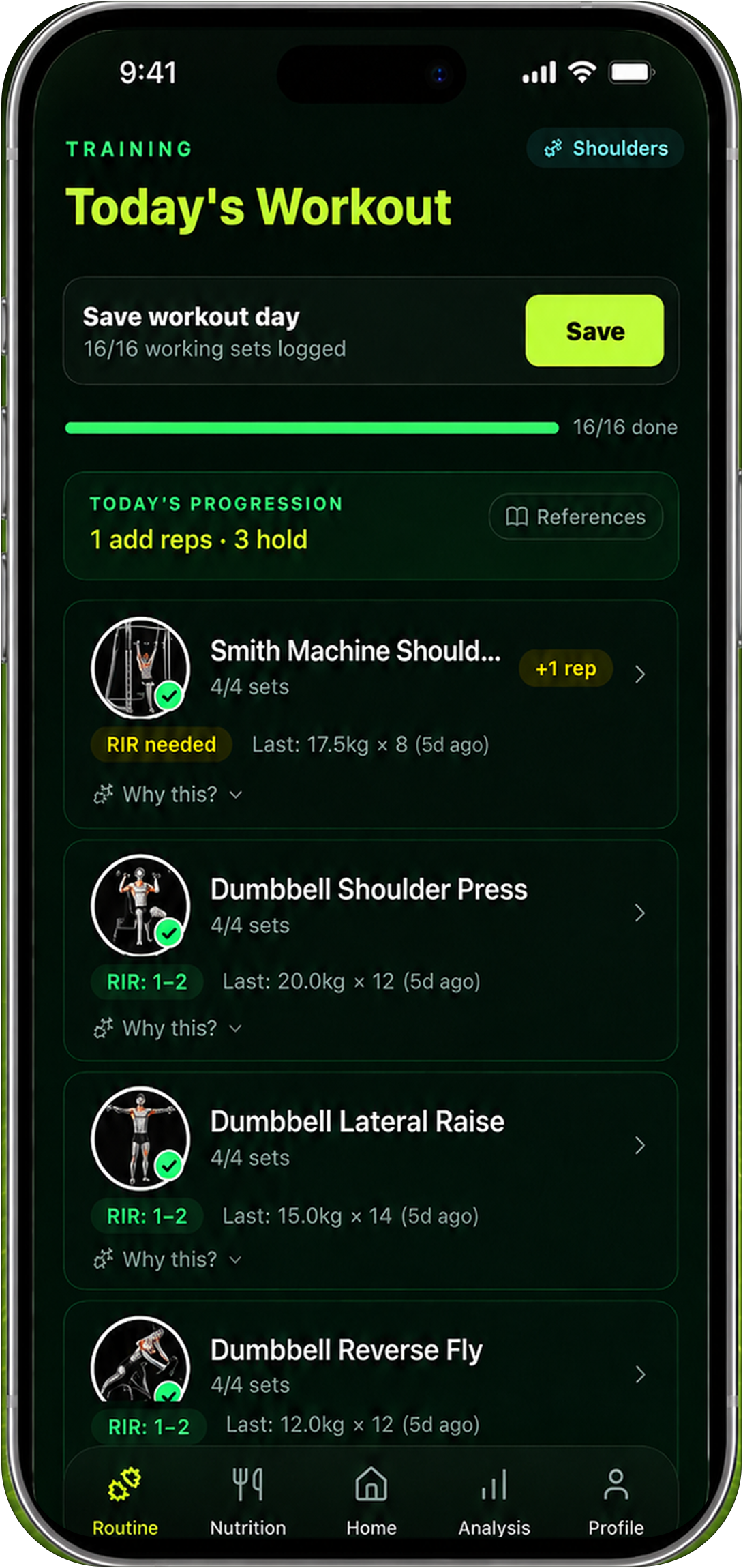
This is the category that many comparison pages leave out. A body-tracking result is only useful if it changes what you do next. If your actual problem is missed workouts, inconsistent protein, an overly aggressive deficit, poor recovery, or no review cadence, another score may add information without adding action.
An integrated plan connects the signal to a behavior loop: define a goal, set training and nutrition targets, collect a small amount of progress data, review adherence and recovery, then keep or adjust one variable. That is more work than a one-off scan, but it answers a different question: “What should I do during the next phase?”
08Compare platform and privacy before price
Pricing is easy to compare and easy to misread. A free download may have scan limits, a photo cap, ads, a trial, or a history limit. A low monthly price may exclude the feature you actually need. Read the current plan page and app-store listing on the day you decide.
- Platform: Confirm iOS, Android, browser, or device support before you build a habit. A perfect workflow on the wrong platform is not a workflow.
- Input: Ask whether the tool needs repeated photos, guided scans, a tape, a special suit, a scale, or daily logging.
- Output: Separate measurements, estimates, scores, avatars, and recommendations. They are not interchangeable.
- History: Check whether you can review older scans or photos, export them, and keep them after a free limit.
- Privacy: Look for where photos are processed, how long they are retained, whether an account is required, and how deletion works.
- Decision value: Identify the next action the output is supposed to change. If you cannot name one, the tool may be entertainment rather than tracking.
Claims about “accuracy” deserve the same caution. Ask what was measured, against what reference, on which population, and whether the validation was independent. An app can be useful for consistent relative change without producing a reliable absolute body-fat percentage.
09Use this decision matrix
| Your primary question | Best-fit approach | Main trade-off |
|---|---|---|
| Do I look different over the last six months? | Standardized photo timeline | Requires a repeatable photo habit and is sensitive to setup |
| Are my waist, hips, chest, or thighs changing? | 3D scan or manual tape log | More measurement detail, but technique and scan conditions matter |
| Where am I starting today? | One-off AI estimate | Fast and low friction, but weak longitudinal context |
| Is my recomp changing regional size and shape? | Scan plus photos plus strength | More data collection and no single metric proves the answer |
| What should I change in the next 90 days? | Integrated training and nutrition plan | Requires adherence and review; it cannot replace a specialized scan |
If two tools use the same input and produce the same kind of estimate, running both forever may only create a second opinion loop. Pair tools when their blind spots differ: photos plus circumferences can be complementary; two photo estimators usually overlap more than they add.
10A two-week fit test
- Write the decision first. For example: “I want to know whether my waist is changing while strength holds.”
- Choose one input protocol. Set the photo pose, scan conditions, or tape landmarks before the first check-in.
- Use the smallest cadence that can answer the question. Do not turn a monthly measurement into daily checking.
- Record the output and the action. Did it change your training, nutrition, recovery, or decision to wait?
- Keep or drop the tool. Keep it if the signal is repeatable, understandable, private enough for you, and connected to a useful next action.
Two weeks is not long enough to prove body change. It is long enough to test whether the workflow is realistic and whether the output is clear enough to use without obsessing over it.
11How Reset90 fits without claiming to replace everything
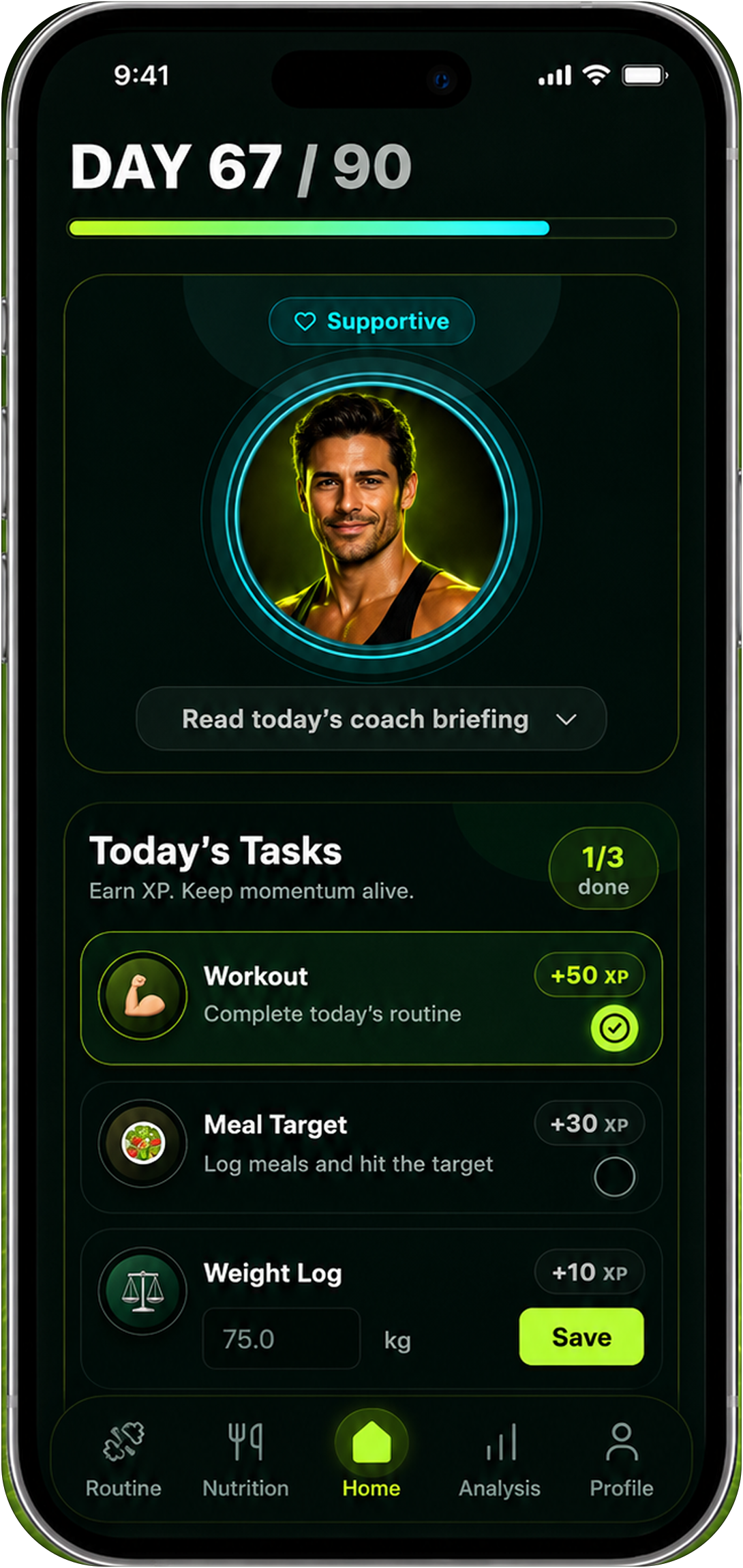
Reset90 belongs in the integrated-plan lane, not the specialized-scanner lane. Its job is to connect training, nutrition, progress check-ins, and a 90-day review loop so a user can decide what to keep, adjust, or stop. It does not need to produce the most detailed avatar or the most confident body-fat number to be useful.
If you want a category overview first, see our guides to AI body scan apps and body-composition apps. If you already have a workout tracker and want to compare the planning layer, our Hevy vs Reset90 comparison explains the difference in job more directly. Android readers can also check the Reset90 Android page.
Use a dedicated scan or measurement tool when you specifically need those outputs. Use Reset90 when the harder problem is turning a few signals into a sustainable plan and a calm next decision. That is a complement, not a claim that one app should do every job.
12What not to believe in a competitor comparison
Comparison content is most useful when it names its limits. Be careful with four kinds of claims:
- Absolute accuracy: A vendor’s validation claim may not tell you how well the estimate transfers to your lighting, pose, clothing, body type, or use case.
- Permanent prices: Free tiers, trials, subscriptions, and platform availability change. Check the live source.
- Universal “best” rankings: The best app for Android measurements may be the wrong app for an iPhone user who wants a photo timeline.
- False equivalence: A 3D avatar, a tape reading, an AI score, and a clinical test answer different questions.
The honest conclusion may be that no single tool fits. If you can state what each tool does not do, you are much closer to making a good choice than if you only collect feature claims.
13Frequently asked questions
Is there a free alternative to GainFrame?
There are free tiers and browser-based options, but “free” can mean a photo cap, scan limit, ads, a short trial, or a limited history. Choose the output first, then confirm the current free-plan terms on the official product page.
Which alternative works on Android?
Platform availability changes, so verify the current Play Store listing. The GainFrame founder’s current comparison points Android users toward MeThreeSixty and ZOZOFIT for native scan and measurement workflows, while browser tools may handle one-off estimates without an install.
Are a body scan and a photo timeline the same thing?
No. A scan is usually designed to estimate shape or circumference from a guided capture. A photo timeline is designed to make visual change comparable over time. Both can be useful, but their inputs and outputs are different.
Do I need a dedicated body-tracking app?
Not necessarily. A tape, a consistent photo setup, a weight average, and a simple log can answer many progress questions. Use an app when it reduces friction, improves consistency, or connects the signal to a decision you would otherwise avoid making.
Can Reset90 replace GainFrame or a clinical body-composition test?
No. Reset90 is a training, nutrition, and progress-planning tool. It can help organize a 90-day workflow, but it is not a clinical test and does not claim to replace a specialized photo-analysis or 3D-measurement product.
14The practical answer
Pick the tool that matches the question you will keep asking. Choose a photo timeline for comparable visual change, a scan or tape for circumference trends, a one-off estimator for a quick starting point, and an integrated plan when you need the data to change your next 90 days.
Then test the workflow with one consistent protocol. The right tool is not the one with the most metrics. It is the one whose input you will repeat, whose output you understand, and whose limitations still let you make a better next decision.
The Reset90 system
Useful ideas for building a body you can keep.
Training notes, product updates, and practical ways to make your next 90 days count.
Start your next 90 days
Get your daily training, nutrition, and check-in priorities in one adaptive system.


Keep reading
Related articles
Ideal Body Measurements for Women
There is no single ideal body measurement set for women. Learn how averages, waist-to-height, body shape and repeatable tracking fit together without chasing a fixed beauty standard.
Read article
Bulk, Cut, or Recomp? A Practical Decision Guide
A practical way to choose a bulk, cut, recomp, or maintenance phase using your goal, training age, recovery, and repeatable progress signals.
Read article
How Often Should You Take Progress Photos?
How often should you take progress photos? Use this goal-based guide to choose weekly, biweekly, or monthly check-ins and make every comparison more consistent.
Read article